How do I enable reminders on a record?
Who can add a reminder, and how a system administrator enables the reminder functionality
A reminder can be added to records where the functionality has been enabled, and any user with read access can create one. If you cannot add a reminder, the option has been disabled for that Custom Type.
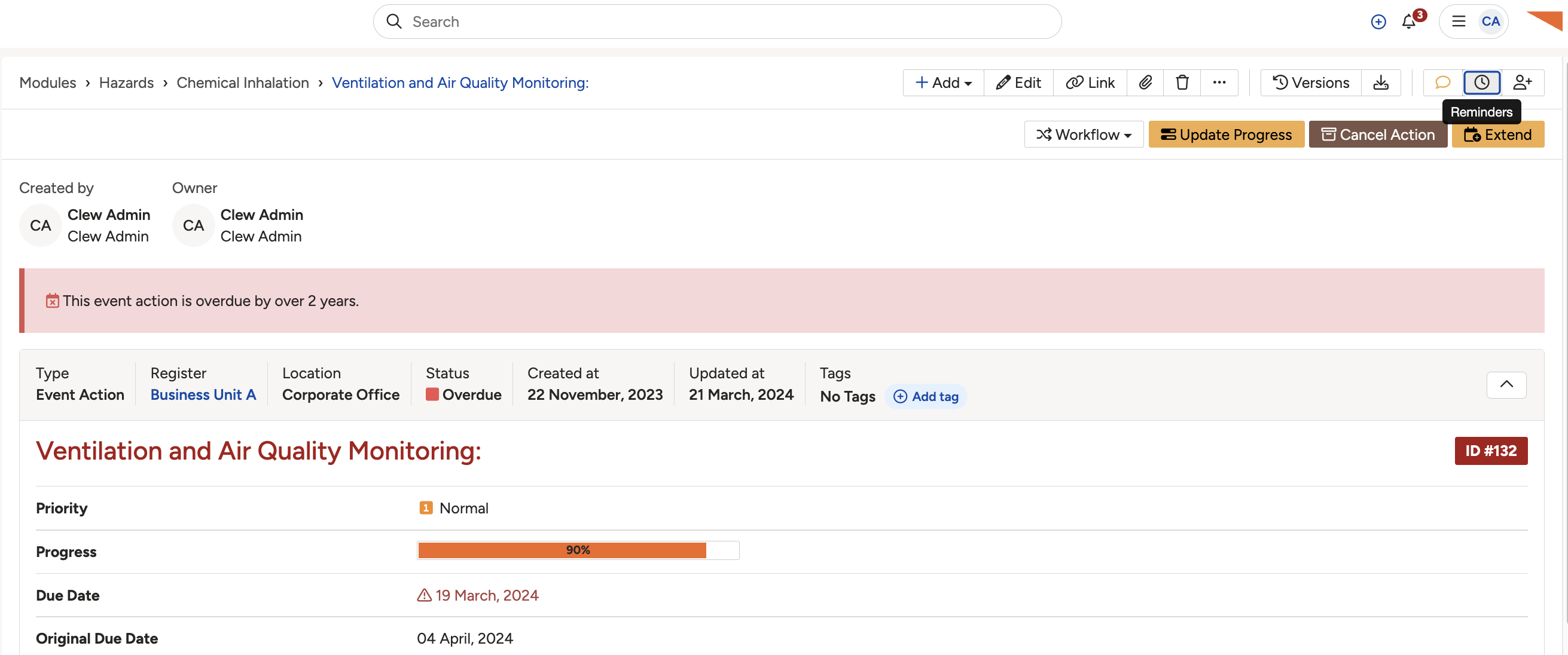
A reminder on a record.
How to enable reminders
A system administrator can enable the reminder functionality:
- Go to Admin > Custom Types and open the relevant Custom Type.
- In the Settings section, toggle on Enable Reminder Button.

Toggling on Enable Reminder Button in the Custom Type Settings.
- The reminder functionality is now visible on the record. Users can add reminders using the clock icon and completing the form.
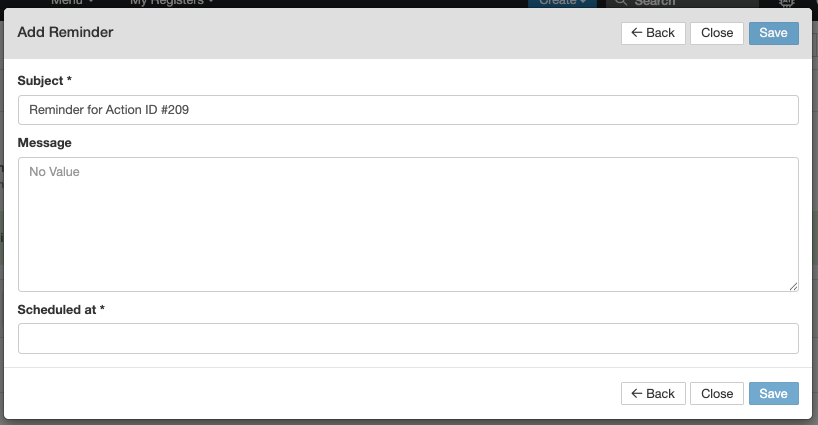
Adding a reminder with the clock icon on the record.
Click a title to preview it here. Use the Open full article button to read the full version in a new tab.
▾Custom Types Open full article »
Related article
How custom types are configured, including the Settings section.
Was this article helpful?
That’s Great!
Thank you for your feedback
Sorry! We couldn't be helpful
Thank you for your feedback
Feedback sent
We appreciate your effort and will try to fix the article