How do I add options to a system lookup?
What system lookups are, how they differ from custom field lookups, and how to add options
Contents
- 1. Introduction & Context
- 2. Key Features & Functions
- 3. Requirements
- 4. Step-by-Step Guide
- 5. Common Issues & Troubleshooting
- 6. Related Articles
1. Introduction & Context
Lookups are part of the core set of fields in a few modules in Clew. Although the basic functionality for the end user is very similar to a custom field lookup, system lookups are different because they live in the system codebase. You can only enable or disable them, or add more options to an existing one.
Who is it for? System administrators who maintain system lookups.
What does it impact? Adding an option makes it available for selection in the modules that use that system lookup.
2. Key Features & Functions
- Part of the codebase: system lookups are built into the platform, unlike custom field lookups that you create yourself.
- What you can change: you can enable or disable a system lookup, and add more options to an existing one.
- What you cannot do: you cannot add a brand-new system lookup, because they are defined in the codebase.
3. Requirements
- System Administrator access is required to add options to system lookups.
- System administrators cannot add new system lookups; these are in the codebase.
4. Step-by-Step Guide
Adding options to a system lookup
- Go to Admin > Lookups.
- Select the lookup you want to add options to.
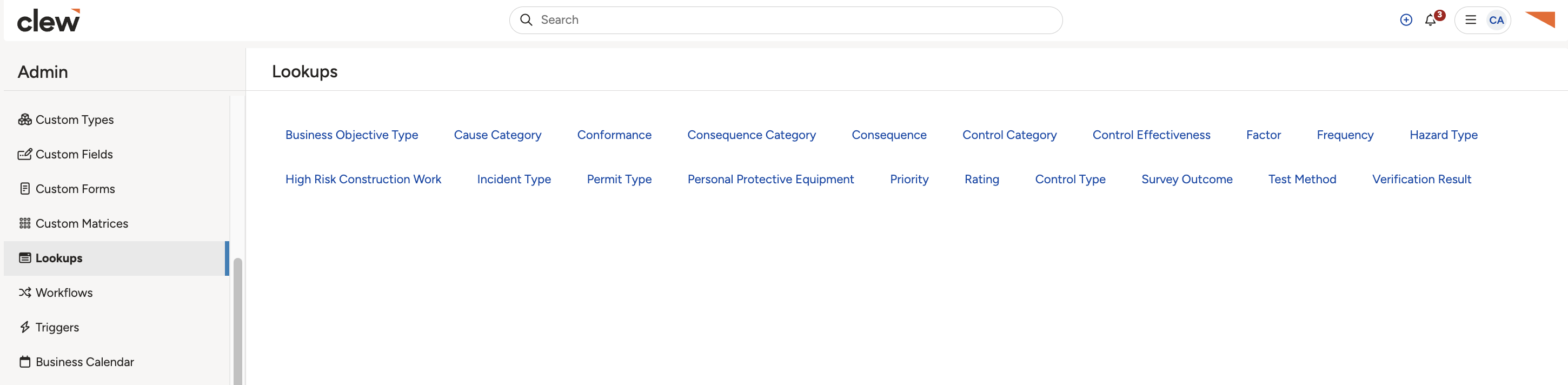
Selecting a system lookup under Admin, Lookups.
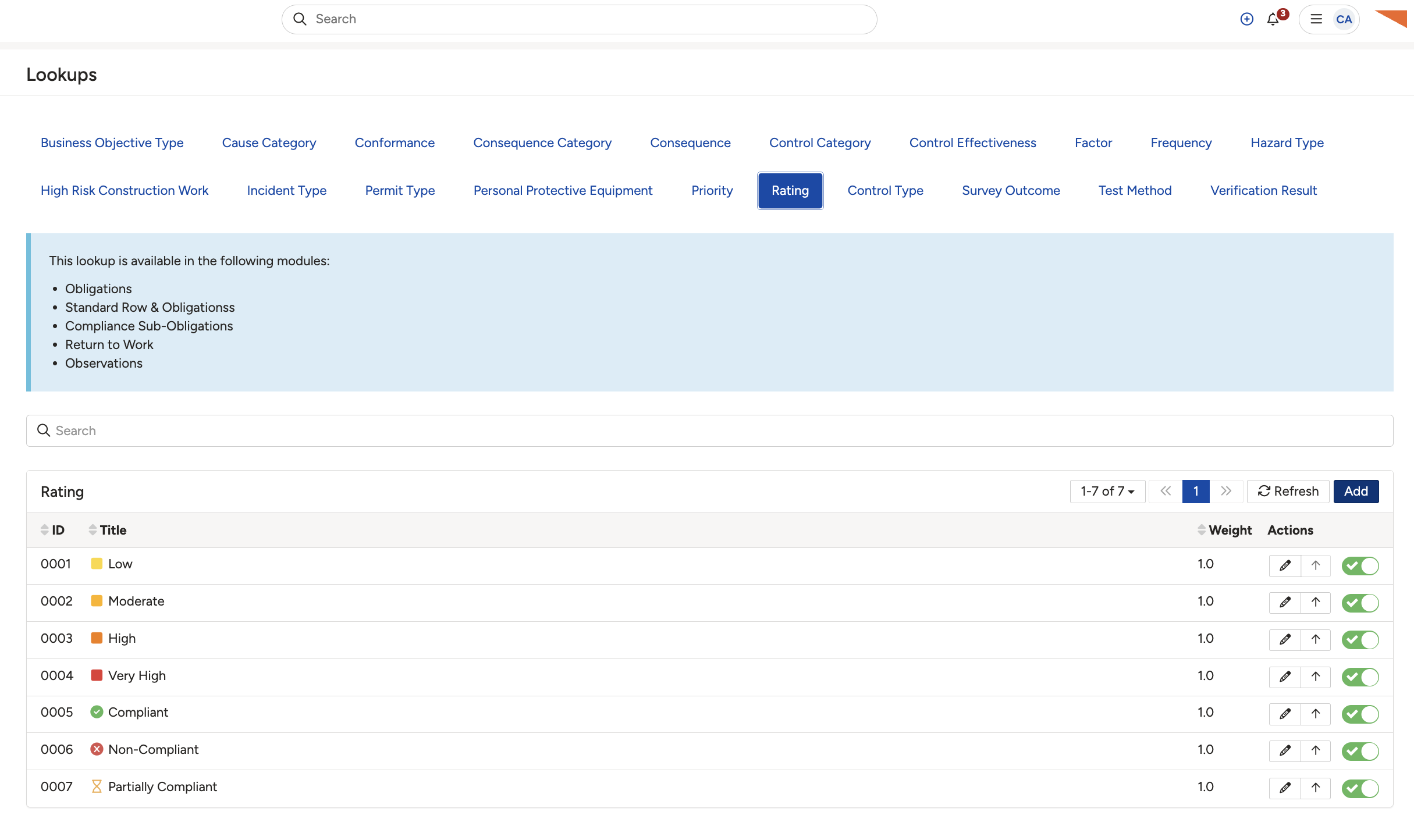
The lookup's options, where you click Add.
- Click Add.
5. Common Issues & Troubleshooting
| Issue | Likely Cause | Solution |
| You cannot add a new system lookup | System lookups are defined in the codebase. | You can only add options to an existing system lookup, or enable and disable them. New system lookups cannot be added. For a bespoke list, use a custom field lookup instead. |
| You cannot add options | You do not have System Administrator access. | System Administrator access is required to add options to system lookups. |
Click a title to preview it here. Use the Open full article button to read the full version in a new tab.
▾Lookups Open full article »
Related article
How lookups work across Clew, including system and custom field lookups.
▾Custom Fields Open full article »
Related article
How to create a custom field lookup, which you can define yourself.
Was this article helpful?
That’s Great!
Thank you for your feedback
Sorry! We couldn't be helpful
Thank you for your feedback
Feedback sent
We appreciate your effort and will try to fix the article