Restoring Deleted Records
How to recover records that have been deleted from the Clew Platform using the Deleted Items area
Contents
- 1. Introduction & Context
- 2. Key Features & Functions
- 3. Requirements
- 4. Step-by-Step Guide
- 5. Common Issues & Troubleshooting
- 6. Related Articles
1. Introduction & Context
The restore function lets administrators recover records that have been accidentally or intentionally deleted from the Clew Platform, returning them to their original module without needing to recreate them.
Deleted records are not permanently removed straight away. They are moved to the Deleted Items area in Admin, where they can be reviewed and restored. For example, if a risk is deleted from a register by mistake, an administrator can open Deleted Items, locate the risk in the Risk module list, and restore it in a single click.
Who is it for? Administrators responsible for managing records and data recovery in the Clew Platform.
What does it impact? Restoring a record returns it to its original module, where it becomes visible and usable again for all users with access to it. Restoring a record does not change any other data.
2. Key Features & Functions
- Deleted Items area: a central page in Admin that displays deleted items from all modules across the platform.
- Module filtering: select a module, such as Risk, to view only the deleted items belonging to that module.
- Deletion details: each entry shows the Deleted Reason, Deleted By, and Deleted At so you can confirm you are restoring the right record.
- Search: use the search bar to quickly find a specific deleted record by name.
- One-click restore: the reverse arrow icon in the Actions column restores the record to its original module.
3. Requirements
- You must have admin access to reach Admin > Deleted Items. Standard users cannot restore records.
- The record must have been deleted from a module that supports the Deleted Items area.
- No additional setup is required. The Deleted Items area is available as standard in the Clew Platform.
4. Step-by-Step Guide
Restoring a Record
- Navigate to Admin > Deleted Items in the Modules section. This opens a page displaying all deleted items from the various modules.
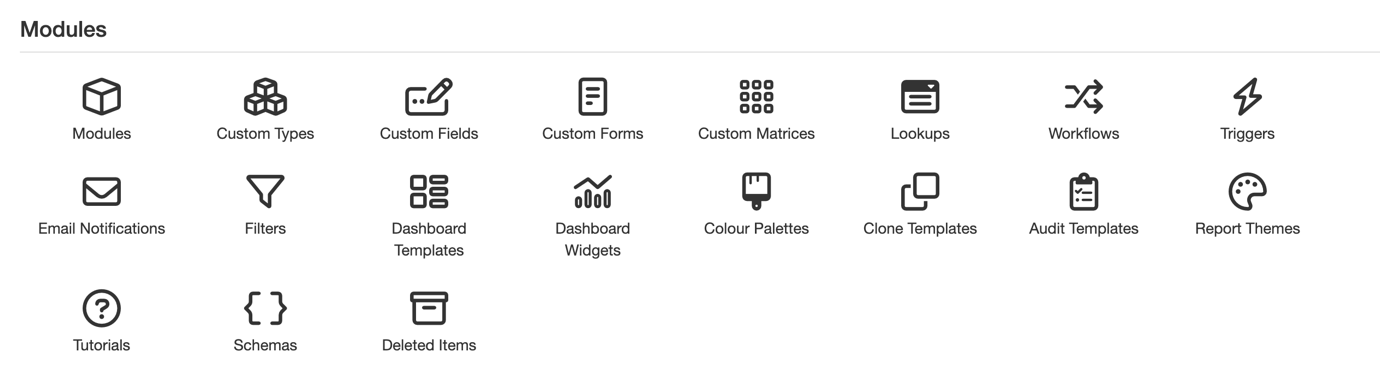
The Deleted Items option in the Modules section of Admin.
- Select the module from which you want to restore records. For example, the Risk module is selected in the screenshot below.
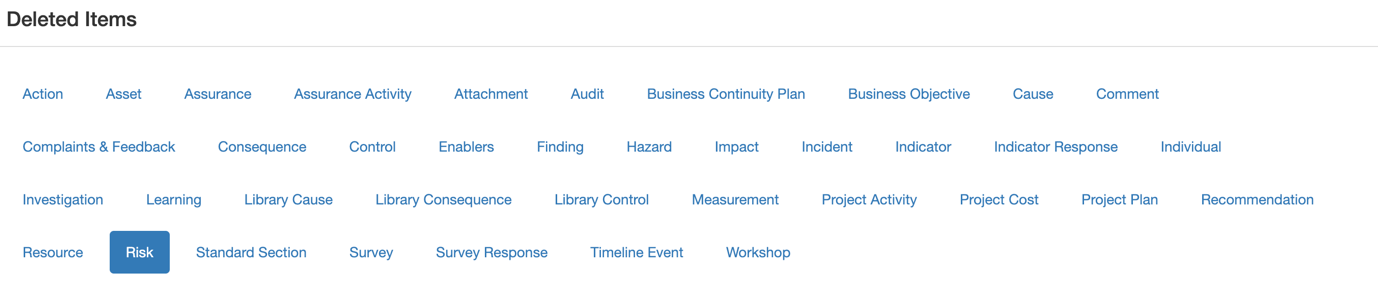
The Deleted Items page with the Risk module selected.
- After selecting the module, you will see a list of deleted items from that module. Each entry includes details such as Deleted Reason, Deleted By, and Deleted At.
- In the Actions column, click the reverse arrow icon next to the record you want to restore.
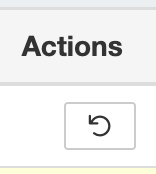
The reverse arrow icon in the Actions column restores the record.
5. Common Issues & Troubleshooting
| Issue | Likely Cause | Solution |
| I cannot see Admin > Deleted Items | You do not have admin access | Contact your System Administrator to restore the record on your behalf, or to review your access level |
| I cannot find the deleted record | The wrong module is selected, or the record name differs from what you are searching for | Confirm which module the record belonged to and select it, then use the search bar. Check the Deleted By and Deleted At details to confirm the right record |
| A restored record is not visible to a user | The user may not have access to the module or register the record was restored to | Restoring returns the record to its original location. Check the user's access permissions for that module or register |
Best practices:
- Check the Deleted Reason, Deleted By, and Deleted At details before restoring, so you are confident the deletion was accidental and you are restoring the correct record.
- Encourage users to add a clear reason when deleting records. It makes reviewing and restoring items in Deleted Items much easier.
- Review the Deleted Items area periodically as part of routine housekeeping to spot unintended deletions early.
Click a title to preview it here. Use the Open full article button to read the full version in a new tab.
▾Administration - Configuration Open full article »
Related section
Browse the Administration and Configuration articles covering how to set up and manage the admin area settings of the Clew Platform.
Was this article helpful?
That’s Great!
Thank you for your feedback
Sorry! We couldn't be helpful
Thank you for your feedback
Feedback sent
We appreciate your effort and will try to fix the article