System-Generated Indicator Responses
Why an automatic indicator creates the responses it does
An automatic indicator records its own responses, one per reporting interval. These are the questions people ask most about the response rows it creates. For how automatic indicators work in full, see the Related Articles.
Why are there system-generated responses for past intervals?
An automatic indicator generates a response for every interval on its schedule, not only the current one. When it runs, it also creates responses for intervals that have already passed, so the indicator has a complete history rather than starting from today. Each row covers one interval, shown by its Interval Start and Interval End, with the value measured from the metric and the outcome set from the thresholds.
How many past responses you see depends on the Response Interval and its unit (for example every 2 days), together with the Next Report Date that anchors the schedule. A shorter interval over the same period produces more rows.
Why is there an extra system-generated response row?
The extra row is the indicator generating a scheduled response for itself, which is expected behaviour. Once automatic generation is switched on for the Key Indicator type, through the Automated Indicators Enabled setting in Admin, an indicator that has a Next Report Date and a response interval will generate a system-generated response on that date. The extra row you are seeing is that scheduled generation.
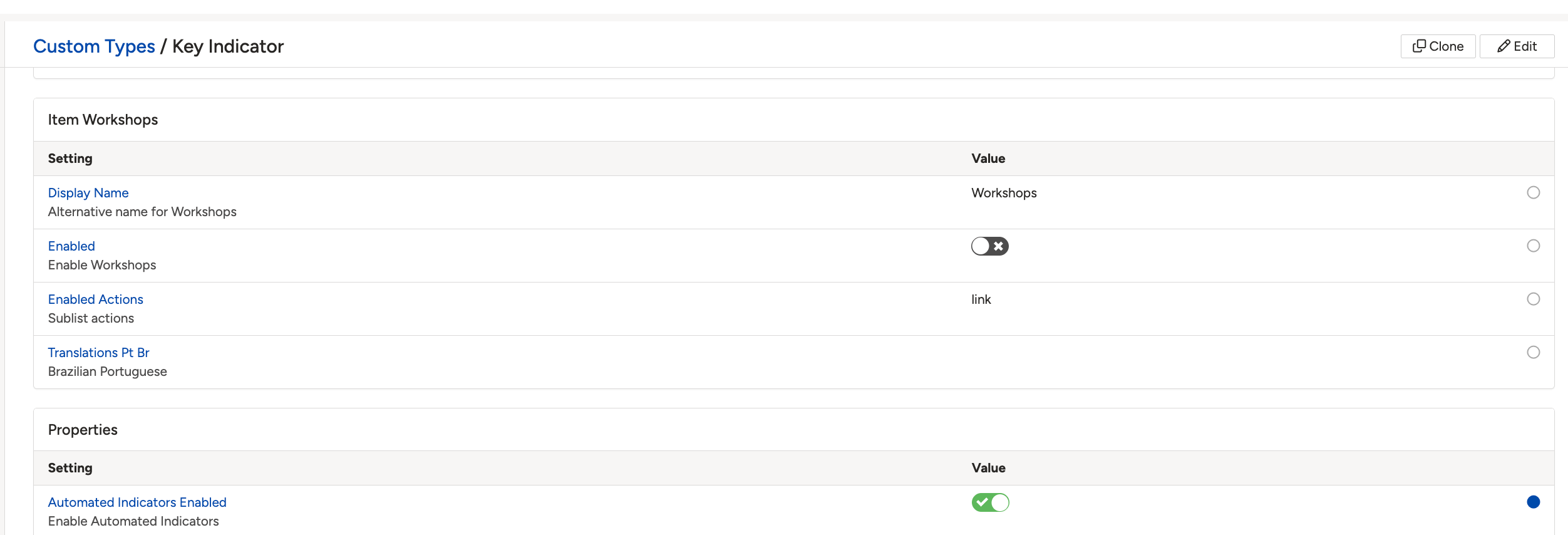
The Automated Indicators Enabled setting on the Key Indicator custom type.
If you were not expecting the new row, check the indicator's Next Report Date and response interval, since those decide when the next response is created.
Click a title to preview it here. Use the Open full article button to read the full version in a new tab.
▾Get Started with Indicators Open full article »
Related article
The full indicator overview, including how automatic indicators measure a metric and record responses.
▾How do I set up thresholds and outcomes for an indicator? Open full article »
Related article
How threshold ranges and outcomes set the value and result on each generated response.
Was this article helpful?
That’s Great!
Thank you for your feedback
Sorry! We couldn't be helpful
Thank you for your feedback
Feedback sent
We appreciate your effort and will try to fix the article