How do I restrict Business Objectives Edit functionality to certain users?
- Navigate to Admin > Teams.
- Add a new team or edit an existing one that you would like the members to be able to edit Business Objectives.
- In the features section, set Can manage business objectives to Yes
- Add/ remove the users required.
- Click Save
Users within this group can now edit existing Business Objectives and add additional Business Objectives.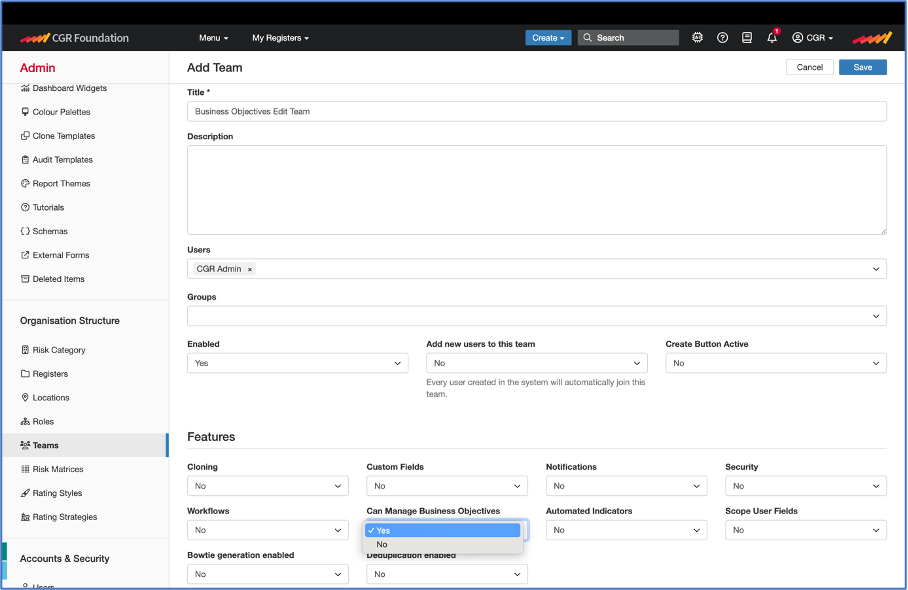
Notes:
- All users can read Business Objectives by default, even if not assigned any other access permissions.
- Ability to add and edit Business Objectives is controlled through membership of a Team.
Was this article helpful?
That’s Great!
Thank you for your feedback
Sorry! We couldn't be helpful
Thank you for your feedback
Feedback sent
We appreciate your effort and will try to fix the article