Why is my sub-panel title different from the module name?
Yes, even if sub-panel names differ from the standard CGR naming, the functionality remains the same.
The title of a sub-panel on a record can also differ from the module name. For example, within a Risk record, the Action sub-panel might be labelled ‘Risk Actions’, even though the module itself is named Action.
This design improves clarity and context. For instance, certain Custom Types (such as Risk) may only be linked to specific Custom Types like Risk Action, rather than all Action types, helping users identify and manage related records more precisely.
A system admin can change the title of a sub-panel.
How to change a sub-panels title
- Navigate to Admin > Custom Type.
- Select the Custom Type where you want to rename a sub-panel.
- In the Settings scroll to the relevant sub-panel you want to rename.
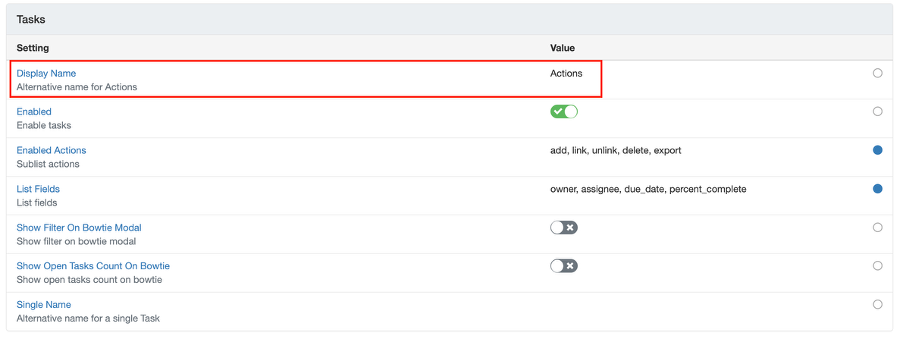
- Click on ‘Display Name’ and change it as suitable and save.
Was this article helpful?
That’s Great!
Thank you for your feedback
Sorry! We couldn't be helpful
Thank you for your feedback
Feedback sent
We appreciate your effort and will try to fix the article