Why can’t I see the Custom Form on the record?
If the Custom Form option is missing from your three-dots menu, you likely haven’t been granted the required access permissions to the form.
A system admin can grant access by following the outlined steps below.
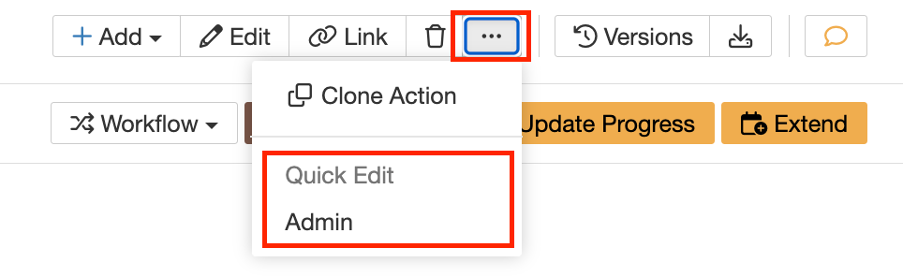
How to restrict or grant access to a Custom Form?
- Go to the Admin section > Custom Forms.
- To select your relevant Custom Form, locate the relevant Module Panel to view all custom forms, for the module.
- Click edit on the pencil icon on the right-hand side.
- Scroll down to the Restrictions section:
In Custom Type, select the desired type where this custom form should be available or configure other restriction options:
Field Restriction: Limit the form’s visibility to records where a specific field is present or matches criteria.
Team Restriction: Make the form visible only to selected teams.
Role Restriction: Restrict access to users with specific roles.
Note: If the Field, Role or Team Restriction field remains empty all users with edit access can use this form.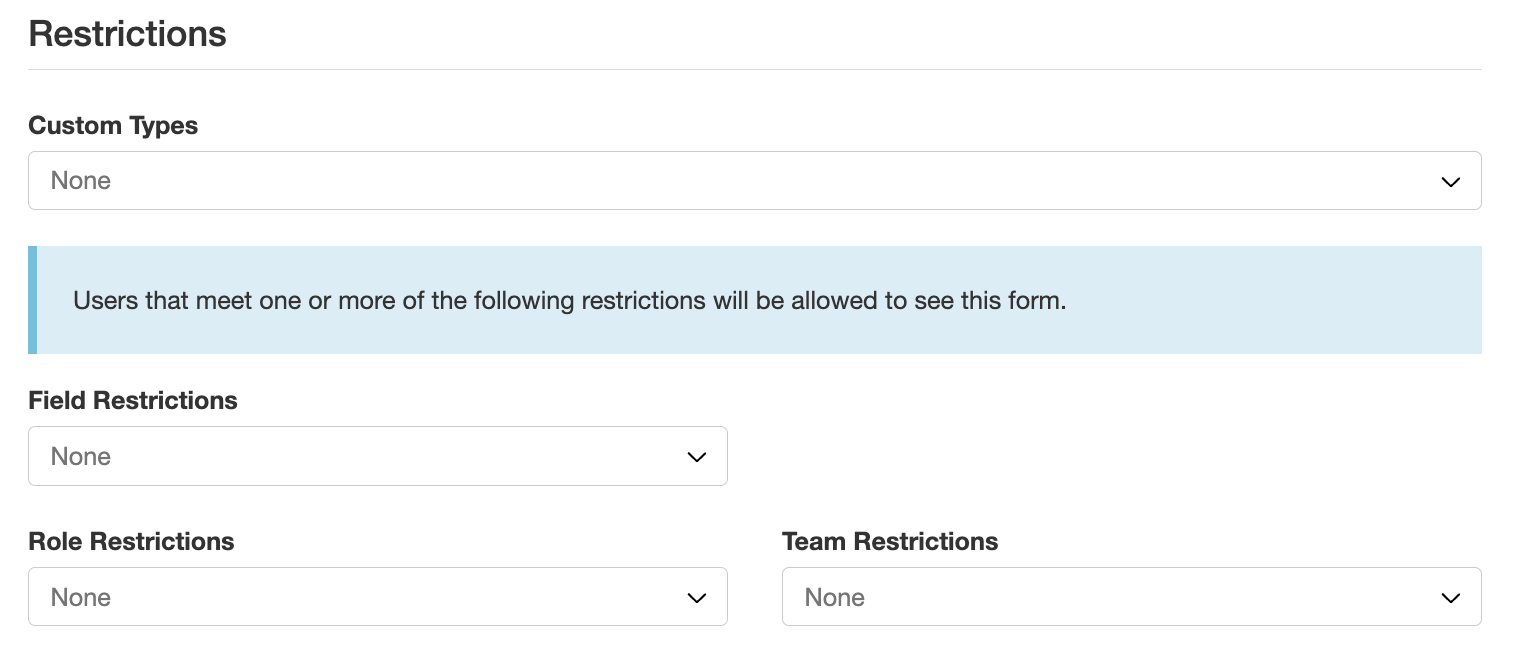
- To grant other users access, select their roles or names in the Field or Role Restriction field or add them to a team.
- Click Save.
Was this article helpful?
That’s Great!
Thank you for your feedback
Sorry! We couldn't be helpful
Thank you for your feedback
Feedback sent
We appreciate your effort and will try to fix the article