TABLE OF CONTENTS
Context
I need to check if a particular user [or role] is able to use [read or update] a button on the workflow for a particular module, e.g. Actions, Risks, Incidents, etc.
Important Notes
- You need to be a system admin to be able to follow the steps below
- Only users with update access to the record can click a workflow button, even if they're listed as the owner. The only exception is when an authorisation rule is in place, for example, the owner rule automatically grants read and update access.
How do I check who is able to view/ use a workflow transition?
To check who can see/ click a workflow button [update progress as an example], please follow these steps:
- Navigate to Admin > Workflows and select the workflow for the module you need to inspect.
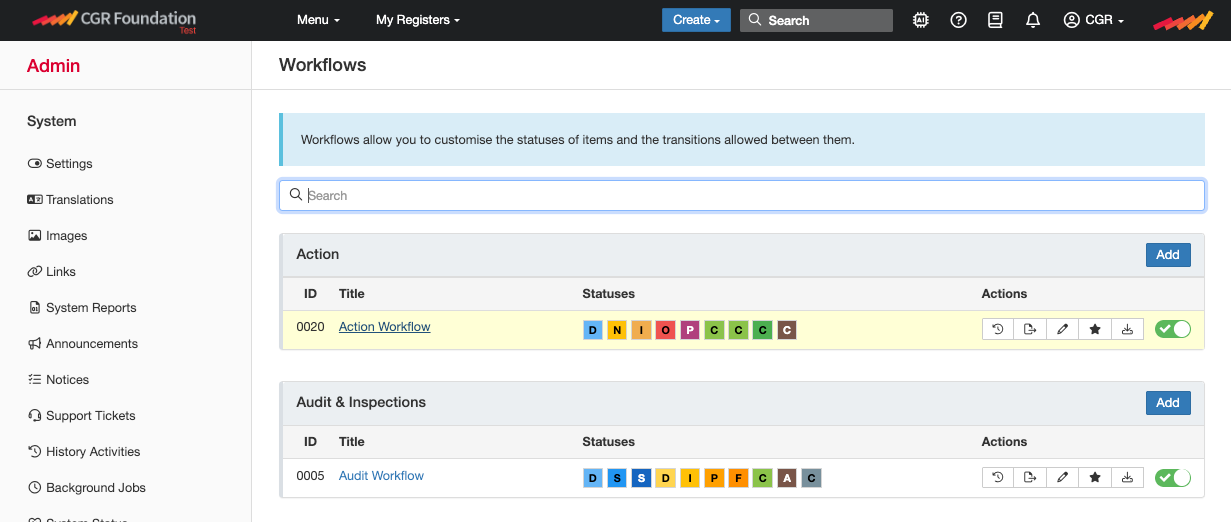
- For this FAQ, we will select Action workflow, and we are checking if the “Owner” of an action can view/ use the “Update Progress button”.
- When the page loads, you should see the workflow statuses first, and as you scroll down, you will see the available transitions [or buttons].
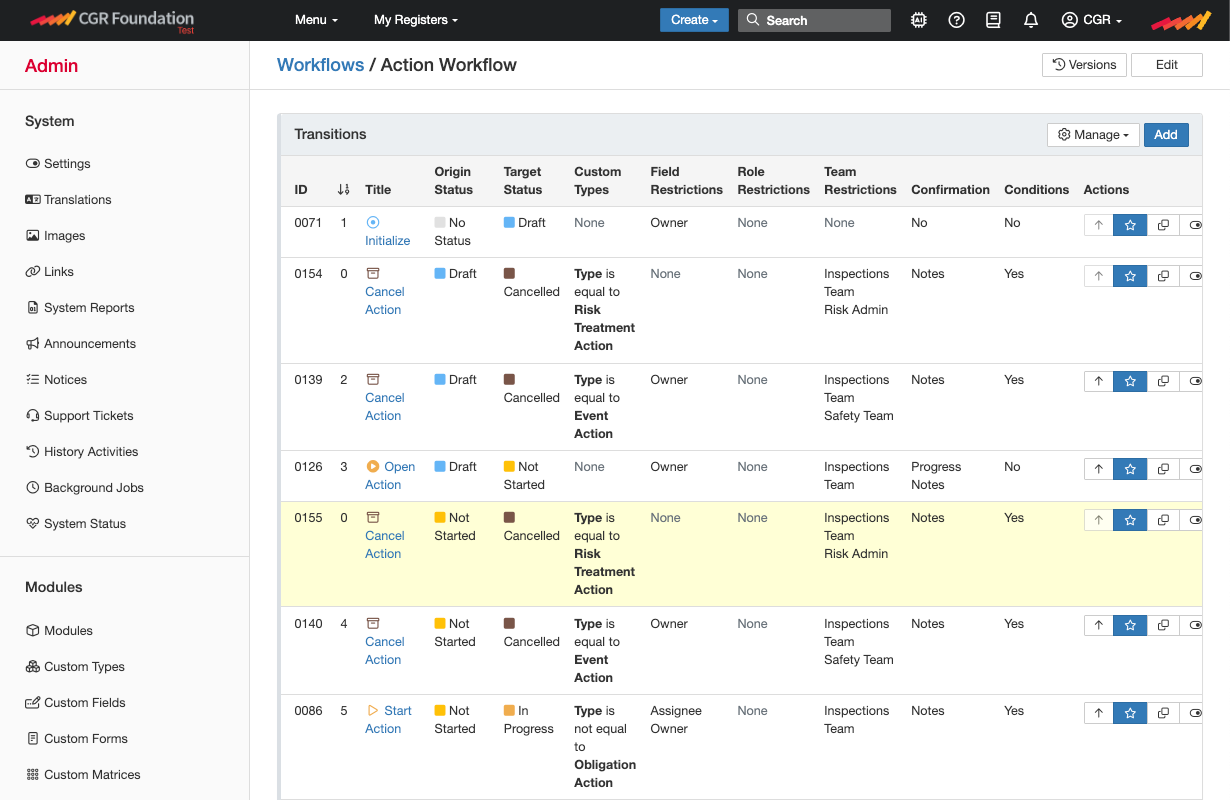
- Scroll down to find the button that you are looking for, in our case, it is the “Update progress” button. When you find it, you should be able to see:

- For the button above, only the person named as “Owner” and the person named as “Assignee” for the action will be able to view the button and click it.
Note: If a transition has no field, role or team restrictions it is visible to everyone with update access. - Should you wish to change it, please click the button title on this table, and you will be taken to the edit screen where you can change the “Field Restrictions” and perhaps allow others [e.g. assignees] or restrict others.
Was this article helpful?
That’s Great!
Thank you for your feedback
Sorry! We couldn't be helpful
Thank you for your feedback
Feedback sent
We appreciate your effort and will try to fix the article