Checking the versions on a workflow
How to see what has been changed on a workflow, when, and by whom
What this is for
Versions on a workflow let you retrace what has been changed and by whom. If a workflow button has started behaving differently, or a status has appeared or disappeared, the version history tells you what changed and when, so you can decide whether to put it back or update your process around it.
How to open the history
There are two ways in, and both open the same history.
From the workflow list
- Go to Admin, then Workflows.
- Search for the workflow you want to review.
- In the Actions column on that row, click the Versions icon. It looks like a clock, and hovering it shows the label.
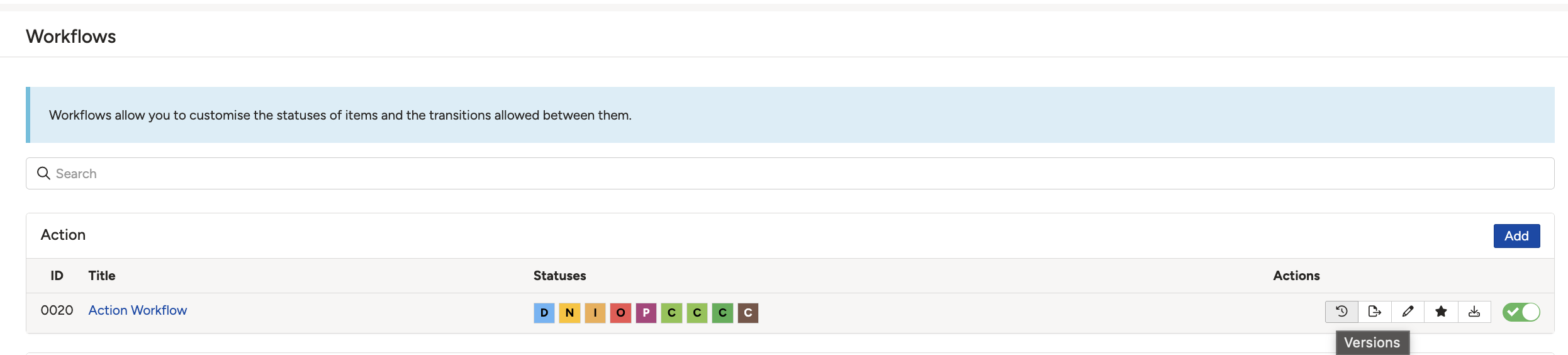
The Versions icon in the Actions column of the workflow list.
From the workflow itself
If you already have the workflow open, click Versions in the top-right corner, next to Edit. You do not need to go back to the list.
Reading the history
The history lists every change that has been made. Dates run down the left, and each entry shows which fields changed. Within an entry, the old value is on the left and the new value is on the right, so each change reads as a before and after pair.
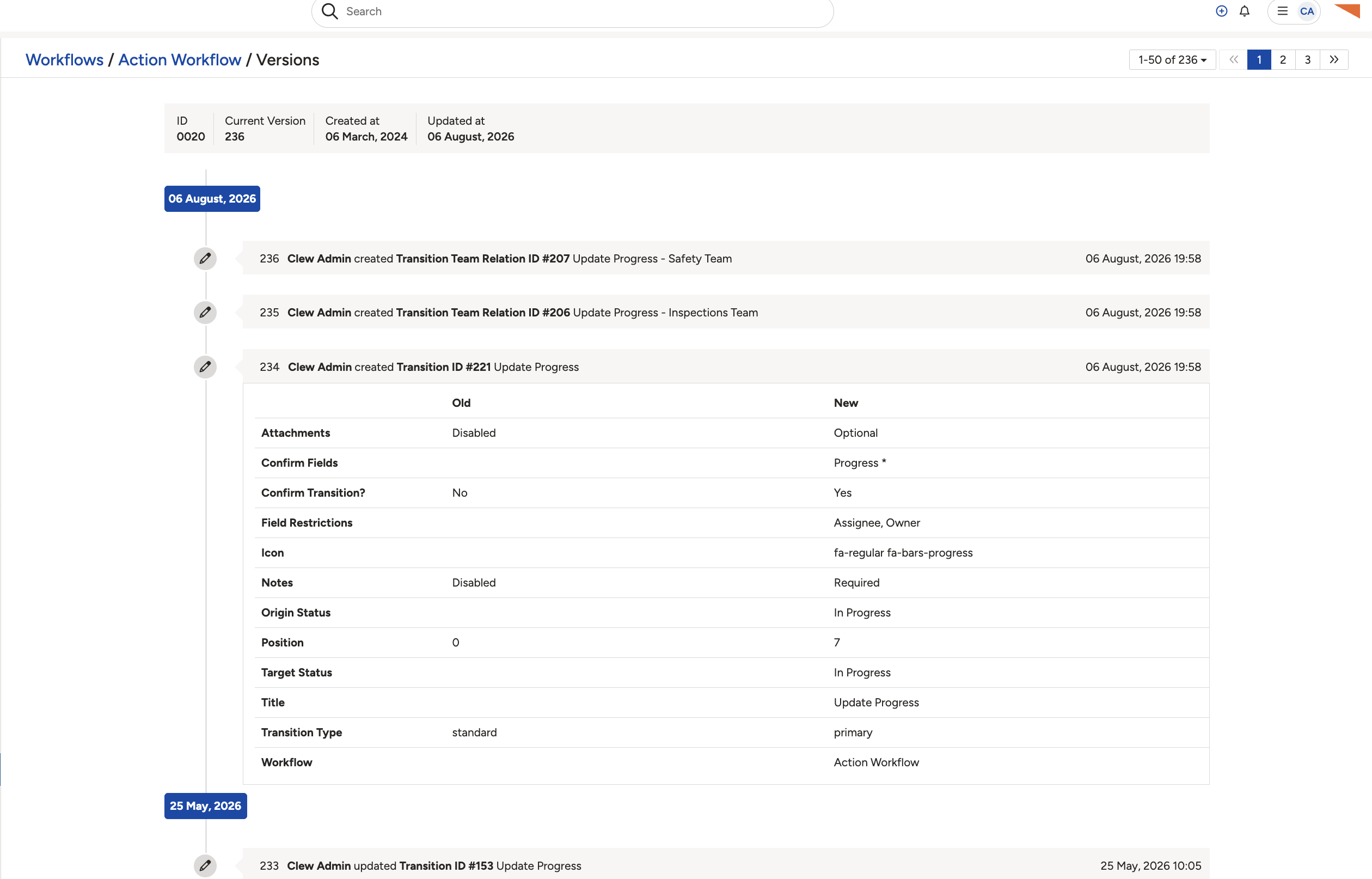
Each entry lists the fields that changed, with the old value beside the new one.
Entries come in two kinds:
| Entry | What it means |
| Transition | A workflow button has been updated. Use the Transition ID shown in the entry to find that button after clicking into the workflow. |
| Status | A change to the available workflow statuses or the fields associated with them. |
▾Workflow Statuses: Overview & Functionalities Open full article »
Related article
What each workflow status setting does and who can manage them, for making sense of a Status entry in the history.
▾Workflow Transitions Open full article »
Related article
How the buttons that move a record between statuses are set up, for tracing a Transition ID back to a button.
Was this article helpful?
That’s Great!
Thank you for your feedback
Sorry! We couldn't be helpful
Thank you for your feedback
Feedback sent
We appreciate your effort and will try to fix the article