Can I add a Custom Field to a register?
Yes, a system admin can add a custom field to a Register [sometimes referred to as Project].
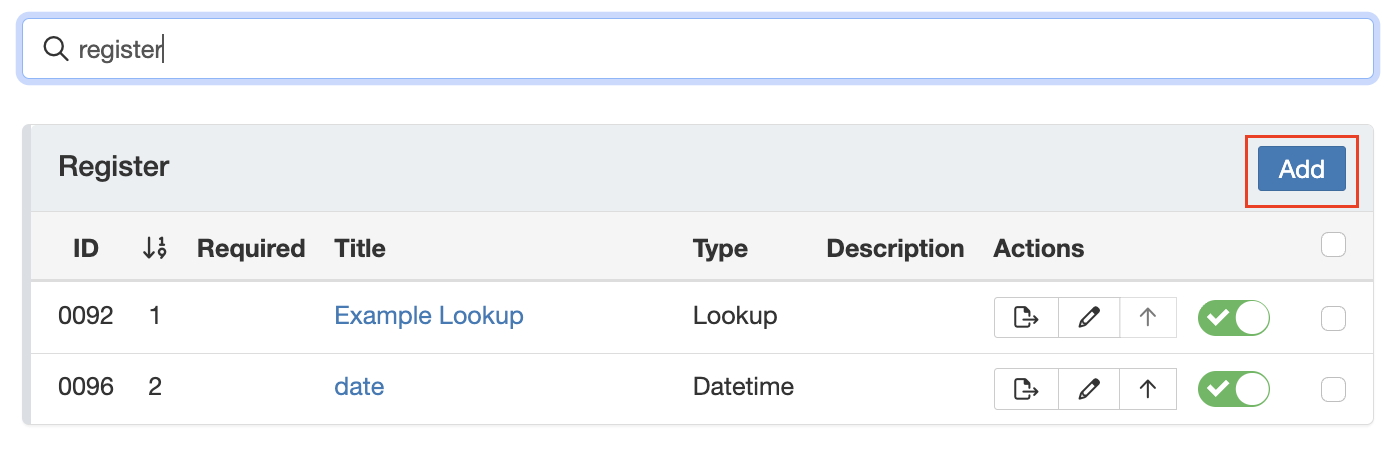
- Go to Admin > Custom Field.
- Search for Register [Project] panel click on ‘add’ to create the custom field.
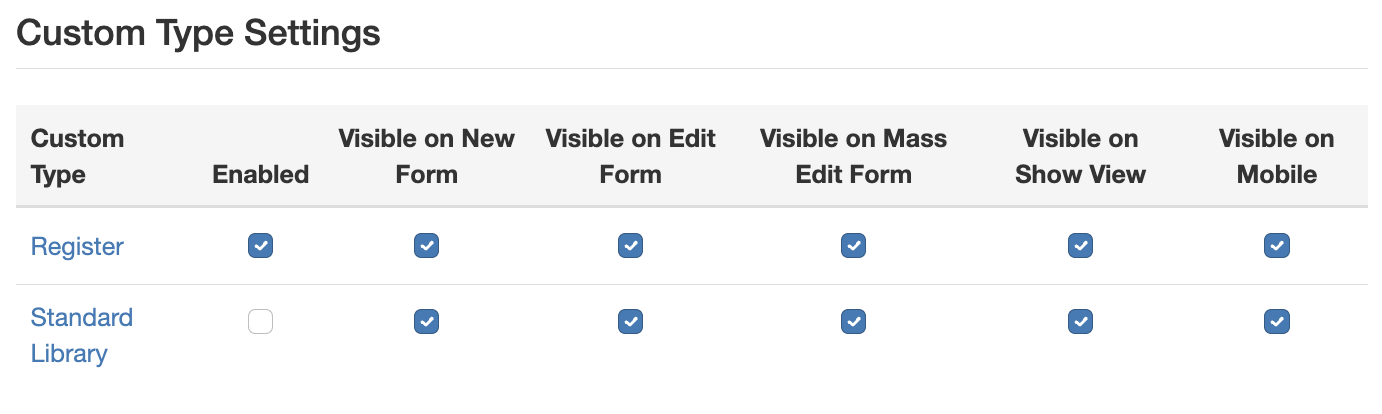
- To display the new field on the register page, ensure it is enabled for the relevant Custom Type and for the correct form (New Form and/or Edit Form).
Note: There is no schema available for the Register [Project] module.
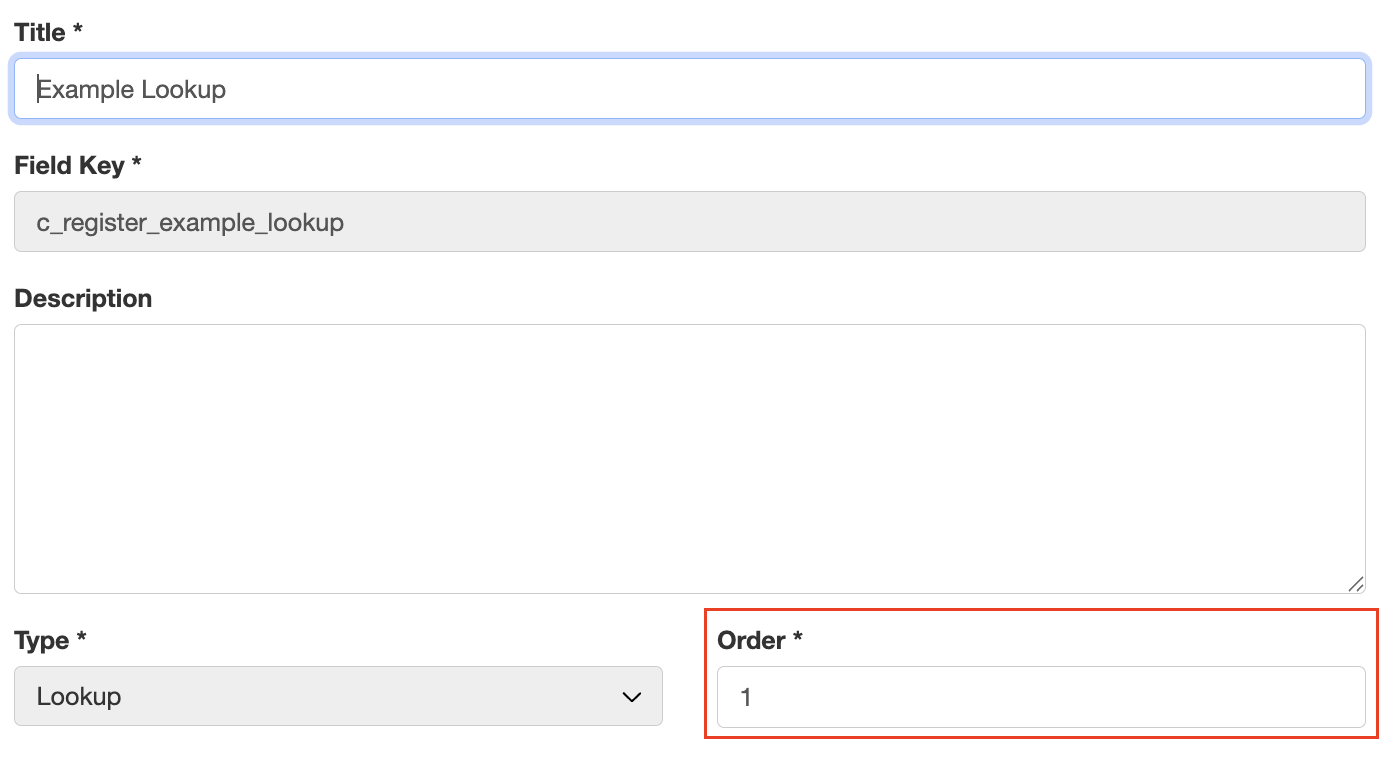
- To adjust the order of fields, update the Order value with the number that reflects the desired position of the custom fields.
Note: When no schema is available, only the order of custom fields can be changed, not core fields.
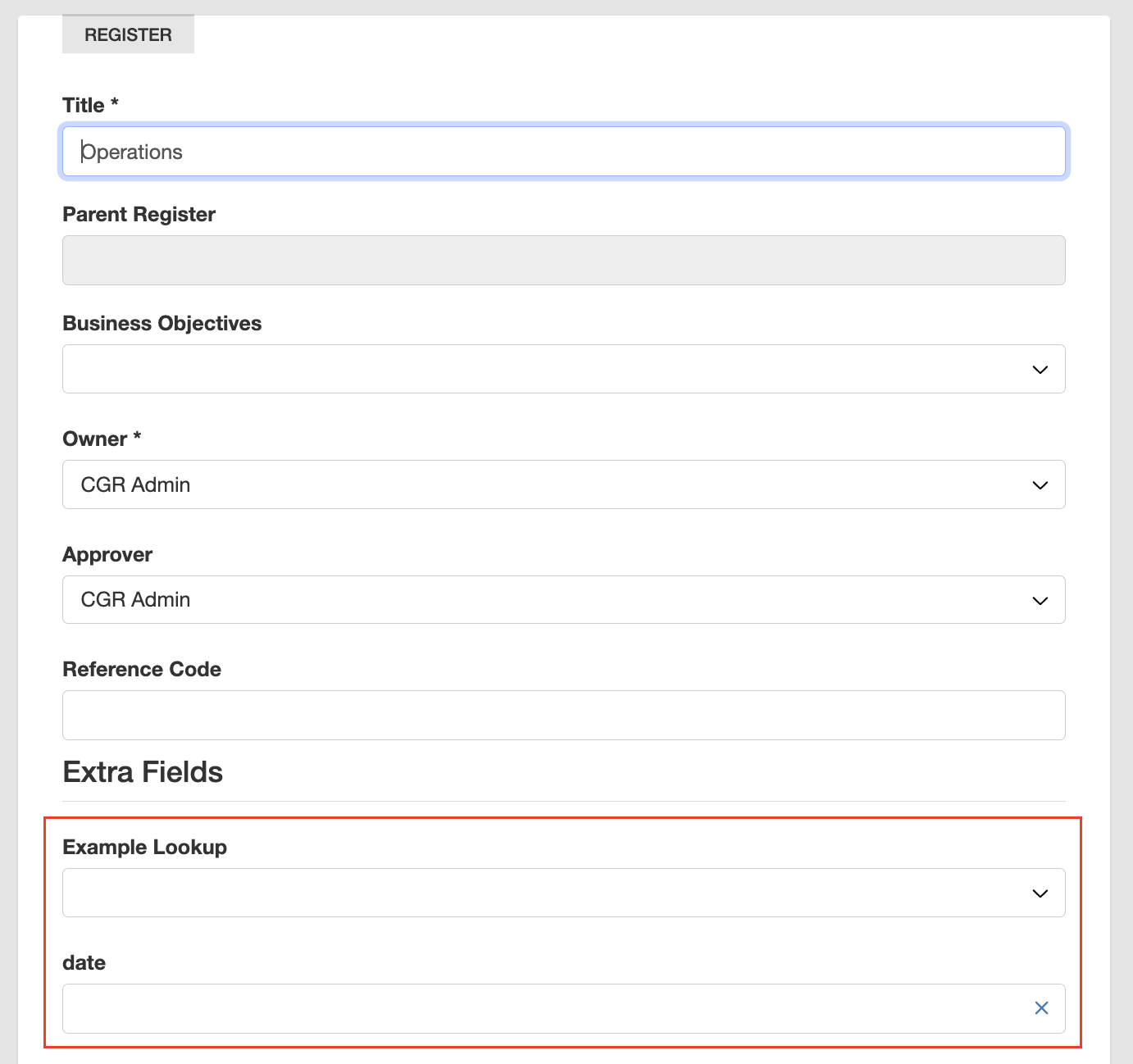
- Check whether the field has been added to the required form by navigating to a register and either creating a new record or editing an existing one to confirm the new fields are visible.
Was this article helpful?
That’s Great!
Thank you for your feedback
Sorry! We couldn't be helpful
Thank you for your feedback
Feedback sent
We appreciate your effort and will try to fix the article