Link an Action to Multiple Records
How to link an action to one or more records using primary and secondary links
Contents
- 1. Introduction & Context
- 2. Key Features & Functions
- 3. Requirements
- 4. Step-by-Step Guide
- 5. Common Issues & Troubleshooting
- 6. Related Articles
1. Introduction & Context
Linking lets you connect a single action to one or more records across the Clew Platform, so the action shows up against every record it relates to and your team can see the full picture in one place.
There are two types of link:
- Primary: a single link to the original record the action was created from. An action can only ever have one primary link.
- Secondary: one or more links to other records that are relevant to the action or that the action applies to. You can add as many secondary links as you need.
Who is it for? Any user who works with actions and needs to associate them with related records, such as risks, controls, or obligations, across different modules.
What does it impact? Linking changes how an action is connected to your records. Because an action can hold only one primary link, applying a new primary link replaces the existing one. Secondary links can be added freely without affecting the primary link.
2. Key Features & Functions
- Primary link: keeps a single, clear connection back to the record the action originated from.
- Secondary links: connect the action to any number of additional records that are relevant to it.
- Multi-module linking: link an action to records in different modules, for example Risk, one module at a time, repeating the process for each.
- Bulk selection: pick multiple records within a module in a single pass before confirming the links.
3. Requirements
- You need permission to update the action you wish to link to other records.
- You need permission to update the records you are aiming to link the action to.
- Because an action can have only a single primary link, applying a new primary link replaces the existing one. Take care when using the primary link type.
4. Step-by-Step Guide
Linking an action to multiple records
- Navigate to the action you want to link.
- Once the action loads, click the Link button at the top of the platform.
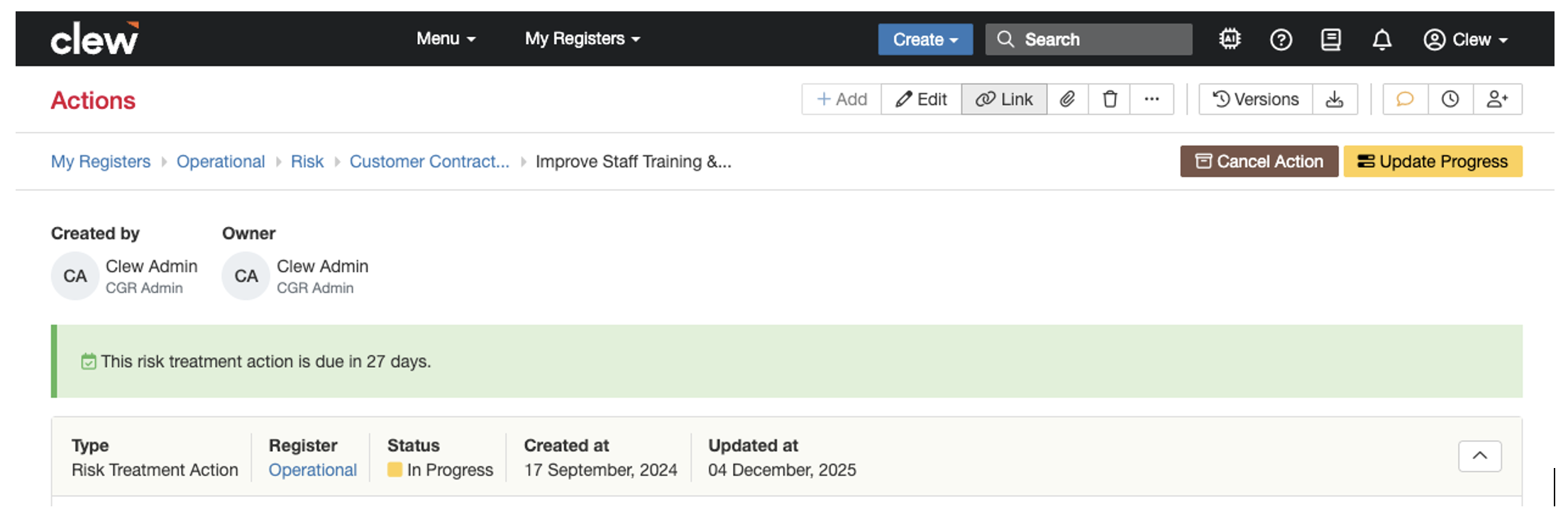
The Link button at the top of the platform.
- This opens the link pop-up box.
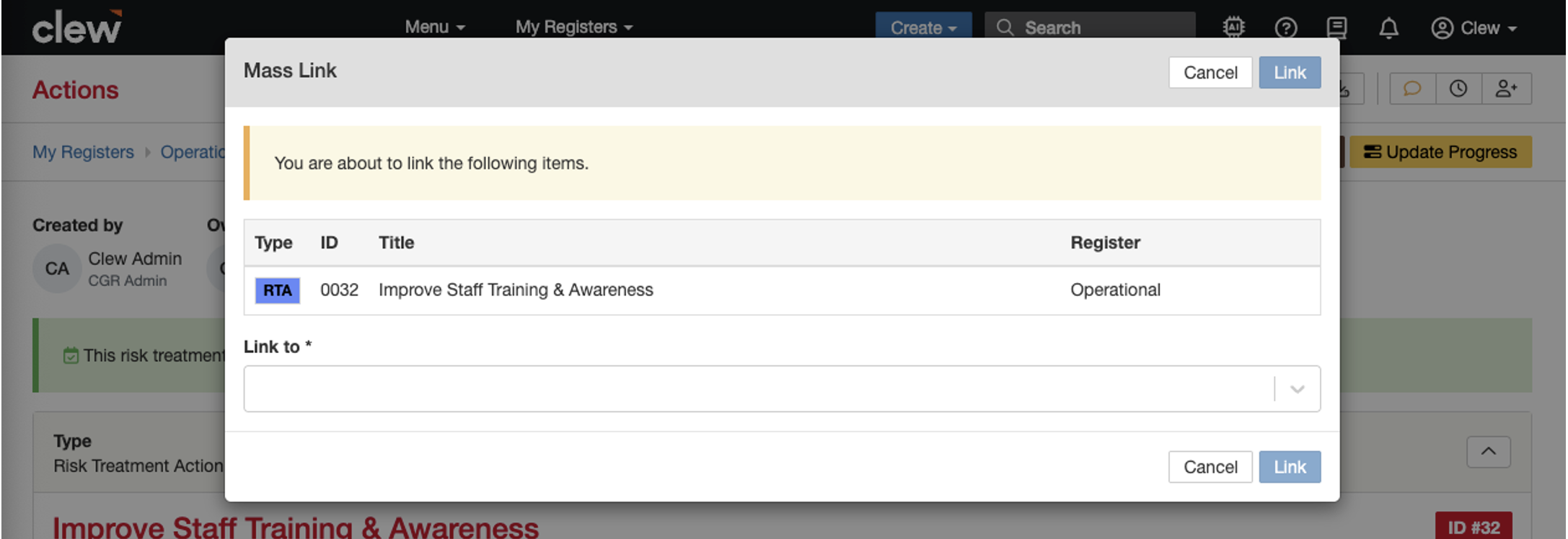
The link pop-up box.
- Select the module you want to link first, for example Risk. The Link Type field then appears. Select Secondary. This loads the record selector for that module, where you can select as many records as needed. In this example, three risks are selected.
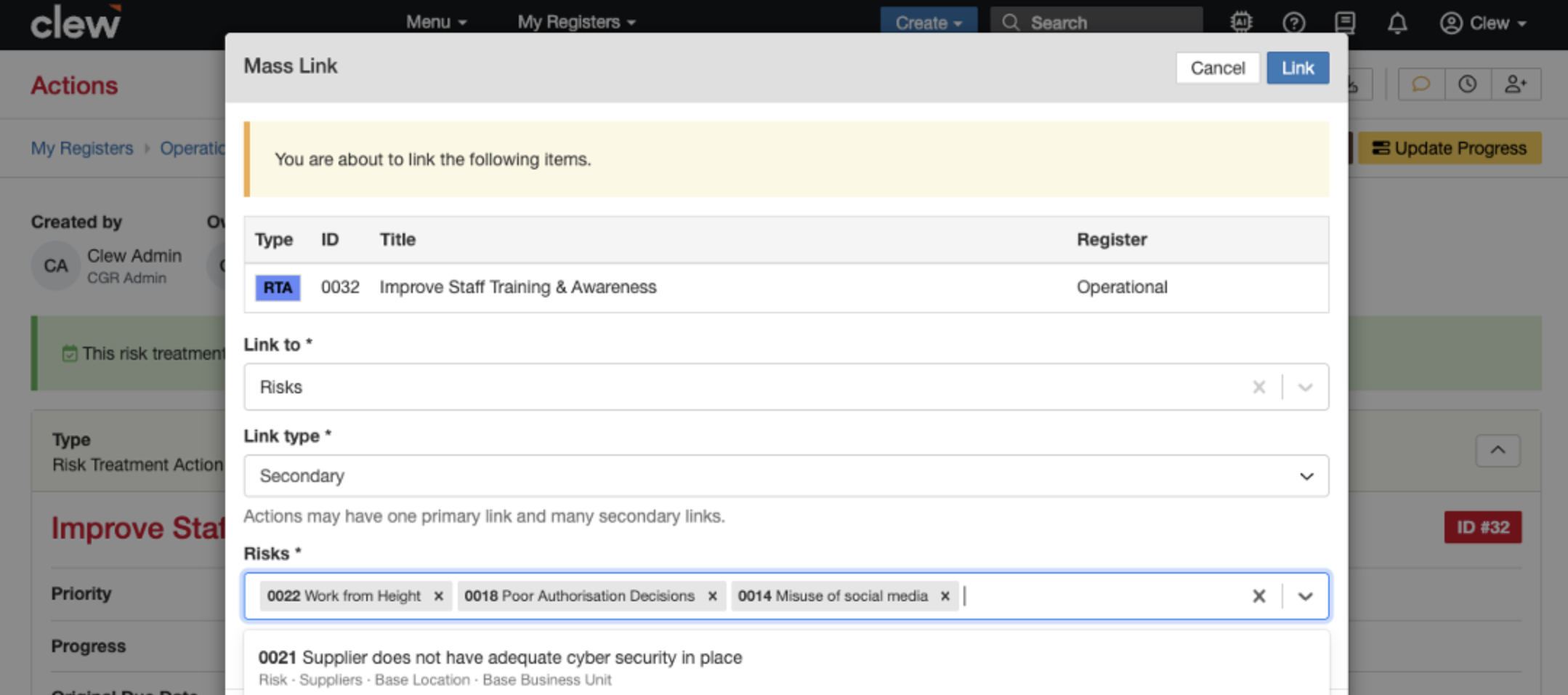
Selecting the Risk module, choosing the Secondary link type, and picking three risks.
- Click Link once you are ready to establish the links.
- Repeat these steps with any other module available and with as many records as you need.
5. Common Issues & Troubleshooting
| Issue | Likely Cause | Solution |
| The Link button does not appear or is greyed out. | You do not have permission to update the action. | Confirm you have update rights on the action. If not, ask your administrator to grant them. |
| A record you want to link does not show in the selector. | You do not have update permission on that record, or the wrong module is selected. | Check you selected the correct module and that you can update the target record. Request access if needed. |
| The original primary link has disappeared. | A new primary link was applied, which replaces the existing one. | Re-apply the correct primary link. Use the Secondary link type when you want to keep the original primary link in place. |
Best practices:
- Use the primary link only for the single record the action genuinely originates from.
- Use secondary links for every other relevant record, so you never overwrite the primary link by accident.
- Link one module at a time and confirm each set of links before moving on to the next module.
- Review the action's links after saving to confirm every intended record is connected.
Click a title to preview it here. Use the Open full article button to read the full version in a new tab.
▾Clone a Record Open full article »
Related article
How to link one record to another using the Link function, including the difference between primary and secondary links.
▾Actions Open full article »
Related article
An overview of actions in the Clew Platform: what they are, how to create them, and how they fit alongside your other record
Was this article helpful?
That’s Great!
Thank you for your feedback
Sorry! We couldn't be helpful
Thank you for your feedback
Feedback sent
We appreciate your effort and will try to fix the article