How to change the display label of a rating
Yes. A system administrator can change the label of a rating from the admin area. It is an administrator setting, so it is not something an end user changes themselves.
How an administrator changes it
- Go to Admin, then Custom Types.
- Open the Rating custom type for the ratings you want to change, such as Inherent and Target.
- Update the label and save.
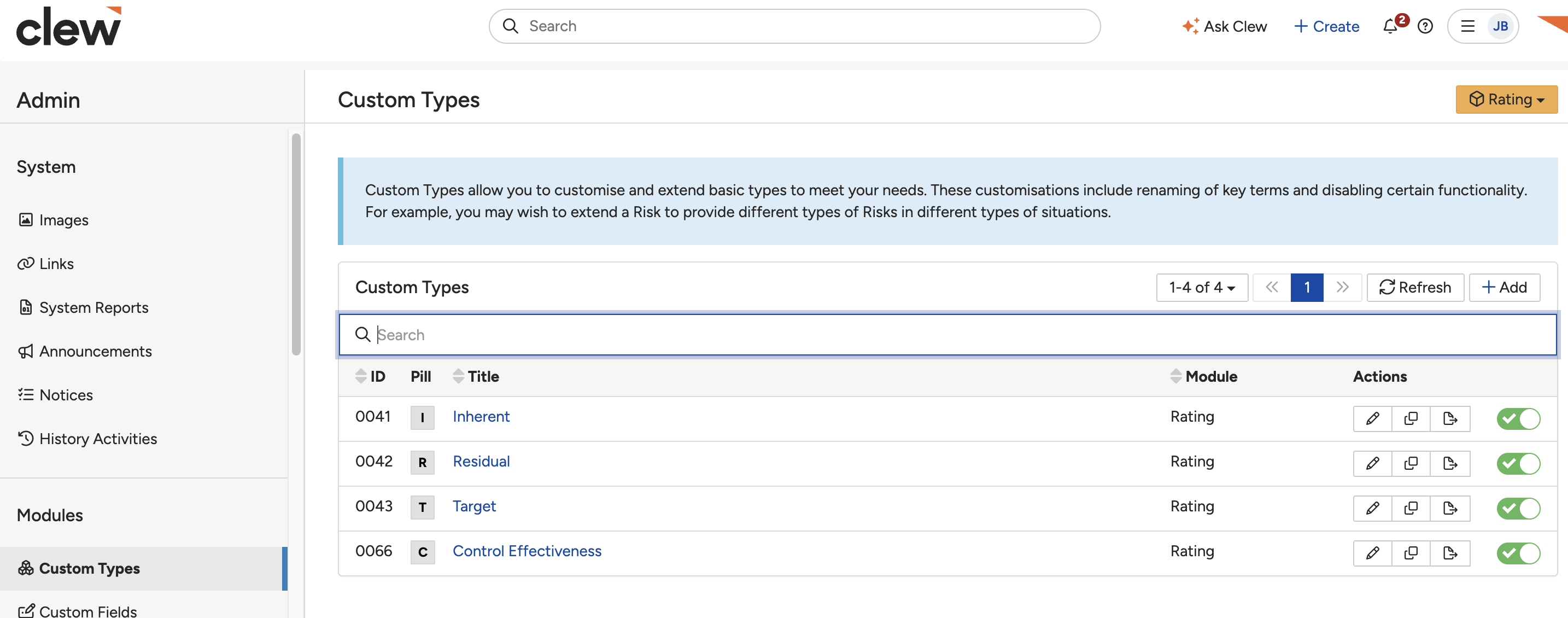
The Custom Types area in Admin, where an administrator opens the Rating custom type.
Click a title to preview it here. Use the Open full article button to read the full version in a new tab.
▾Custom Types Open full article »
Related article
How custom types work, including where an administrator edits the Rating custom type.
▾Risk Matrices Open full article »
Related article
How risk ratings and matrices are set up, where rating values and labels are configured.
Was this article helpful?
That’s Great!
Thank you for your feedback
Sorry! We couldn't be helpful
Thank you for your feedback
Feedback sent
We appreciate your effort and will try to fix the article