How to check whether a Core Field has been hidden in the Custom Type settings, and how to unhide it.
Context
In Clew, we distinguish between Core Fields, which are built natively into the system, and Custom Fields, which are created to meet specific customer requirements.
This article focuses on Core Fields, also referred to as default lookups, as some of these fields are defined as a lookup type.
If a Core Field cannot be found in the schema, it may be hidden within the Custom Type settings. A System Administrator can check this by following the steps below.
How to check if a field is hidden in the Custom Type settings
- Go to Admin > Custom Type.
- In the Core field settings, look for Hidden Fields on New Form. Make sure the field you want is not selected in the highlighted area. If it is selected, the field will be hidden from the Add Form (Create Schema).
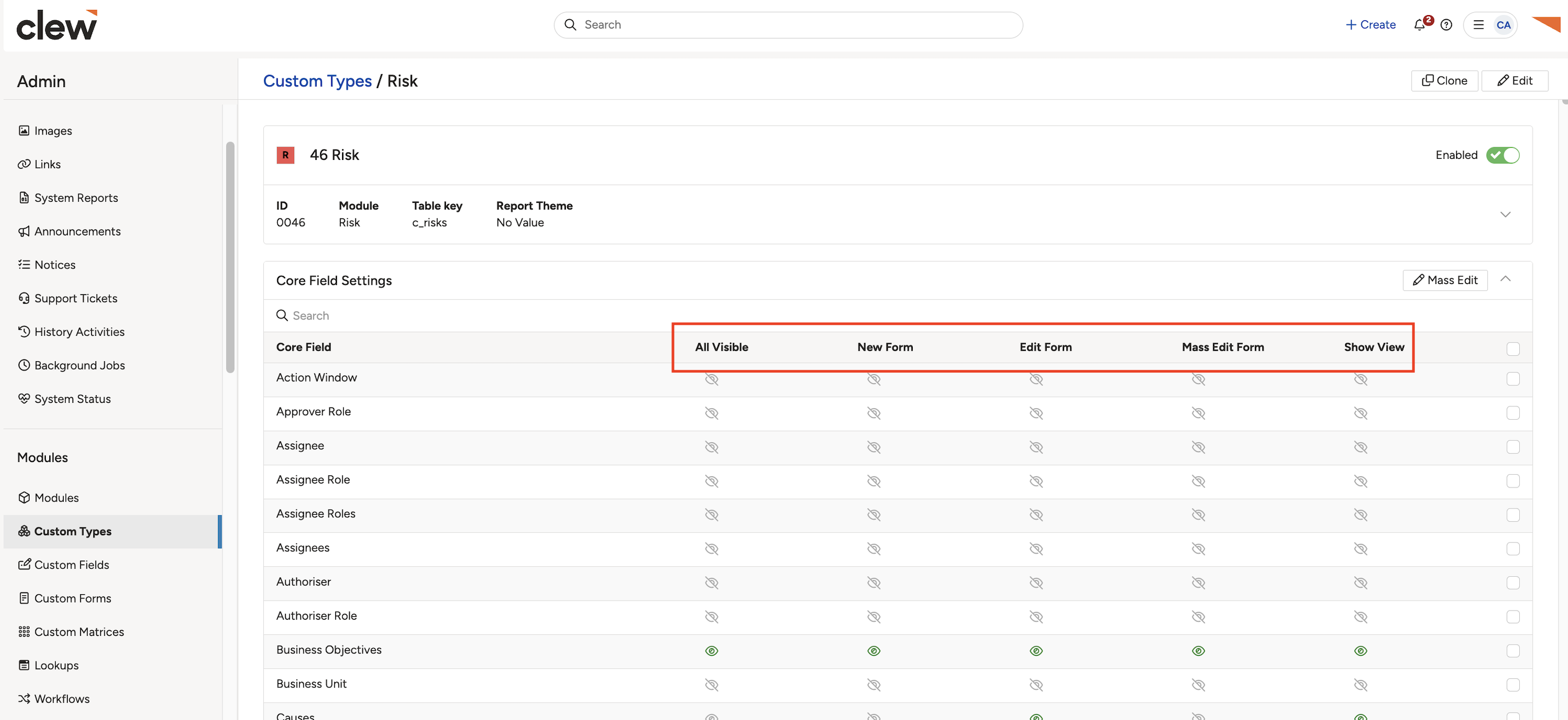
Check Hidden Fields on New Form in the Custom Type settings. A field listed here is hidden from the Add Form.
- Save the updated Custom Type.
- Go to Admin > Schemas.
- Click Sync Schemas to apply the changes to the form.
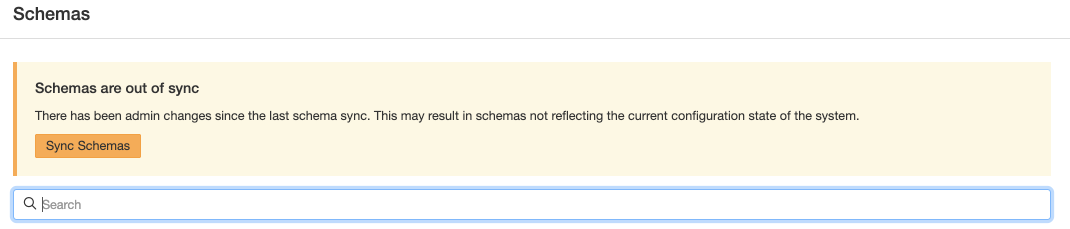
Click Sync Schemas to apply the change.
- Search for the applicable schema and open it. In the builder panel, find the field, make sure the hidden (eye icon) option is not selected, and save.
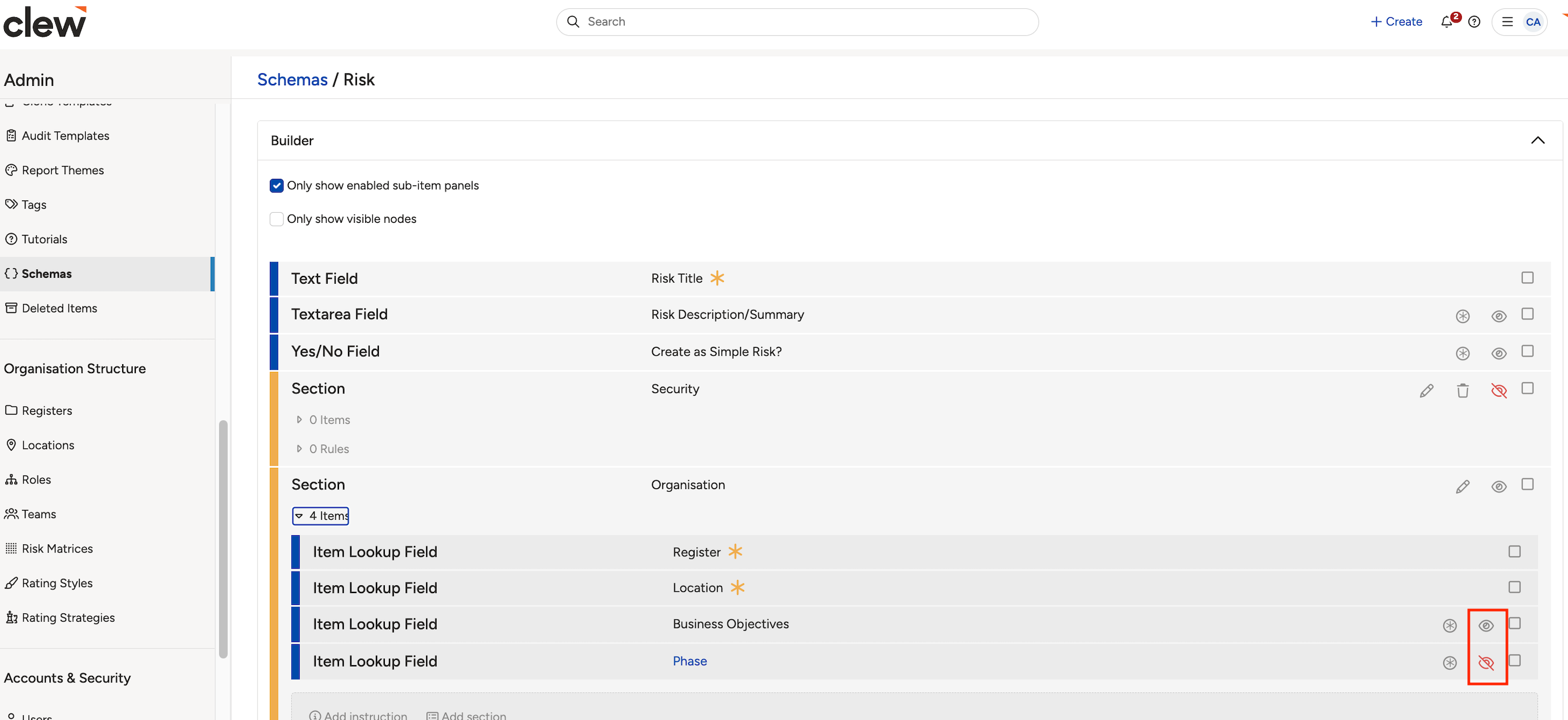
In the schema builder, make sure the eye icon is not set to hide the field.
Click a title to preview it here. Use the Open full article button to read the full version in a new tab.
▾Custom Types Open full article »
Related article
Hidden fields are controlled in the Custom Type settings. See how custom types are created and configured.
▾Schemas Open full article »
Related article
After changing a field's visibility, you sync schemas. Learn how schemas work and when to synchronise them.
▾Custom Fields Open full article »
Related article
Core Fields are native to the system; Custom Fields are added for specific needs. See how custom fields work.
Was this article helpful?
That’s Great!
Thank you for your feedback
Sorry! We couldn't be helpful
Thank you for your feedback
Feedback sent
We appreciate your effort and will try to fix the article