Can I mass delete Library records, like Library Controls?
Bulk deleting records from the Library, including Controls, Causes, Consequences, Job Steps and Risk Assessment Hazards
Yes. From version 5.0 onwards, you can select multiple records in a Library module, such as the Control Library, and delete them all in one action. This works the same way across Library modules, including Library Controls, Library Causes, Library Consequences, Library Job Steps and Risk Assessment Hazards.
Permissions needed
Mass deleting is not a separate permission on its own. It becomes available when a user's role has both of the following permissions:
- Mass Edit
- Delete
If a user only has one of these permissions, the option to delete multiple records at once will not be available to them. Check with your system administrator if you cannot see the mass delete option.
How to mass delete records
- Open the relevant Library module, for example Library > Library Controls.
- Tick the checkbox next to each record you want to delete, on the right-hand side of the list.
- Click the Mass Delete icon (the bin icon) in the top right of the screen, next to Mass Edit and Mass Link.
- In the Mass Delete window, check the list of items shown to confirm they are the records you want to delete.
- Enter a Reason for the deletion. This is required for every module except Schedules.
- Click Delete to confirm.
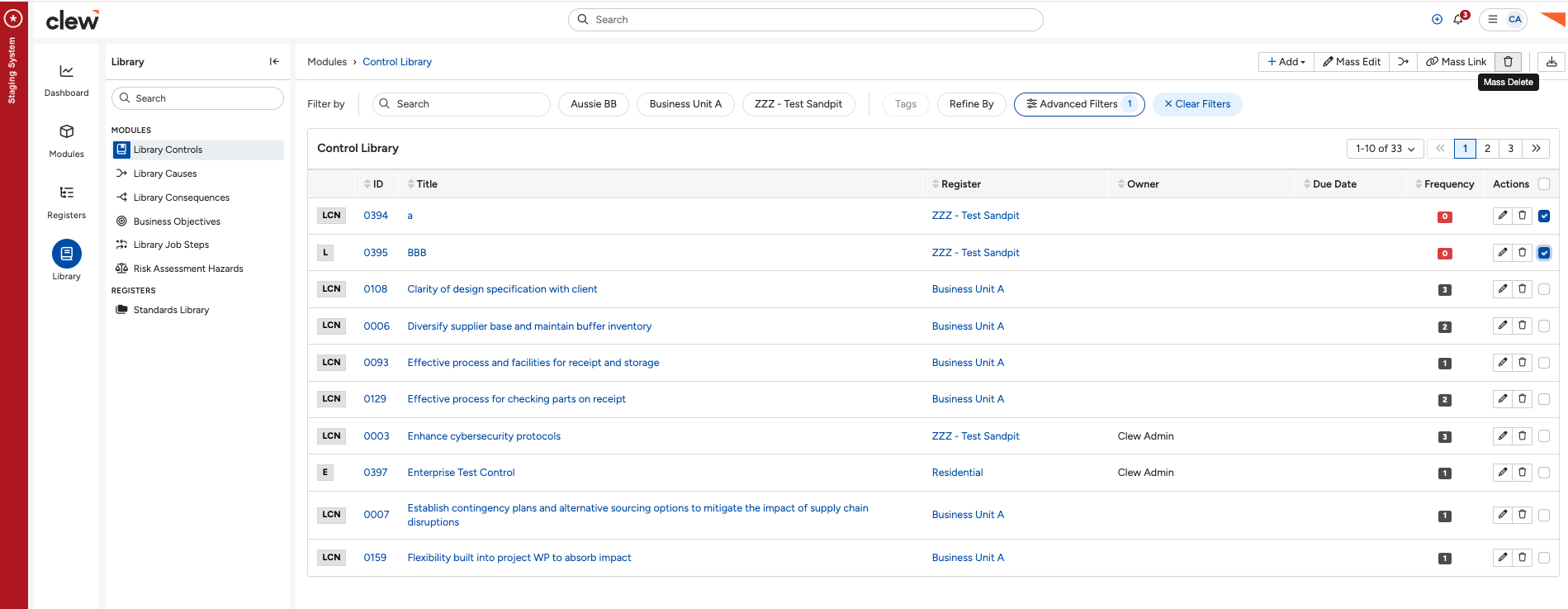
The Control Library with records selected and the Mass Delete icon highlighted.
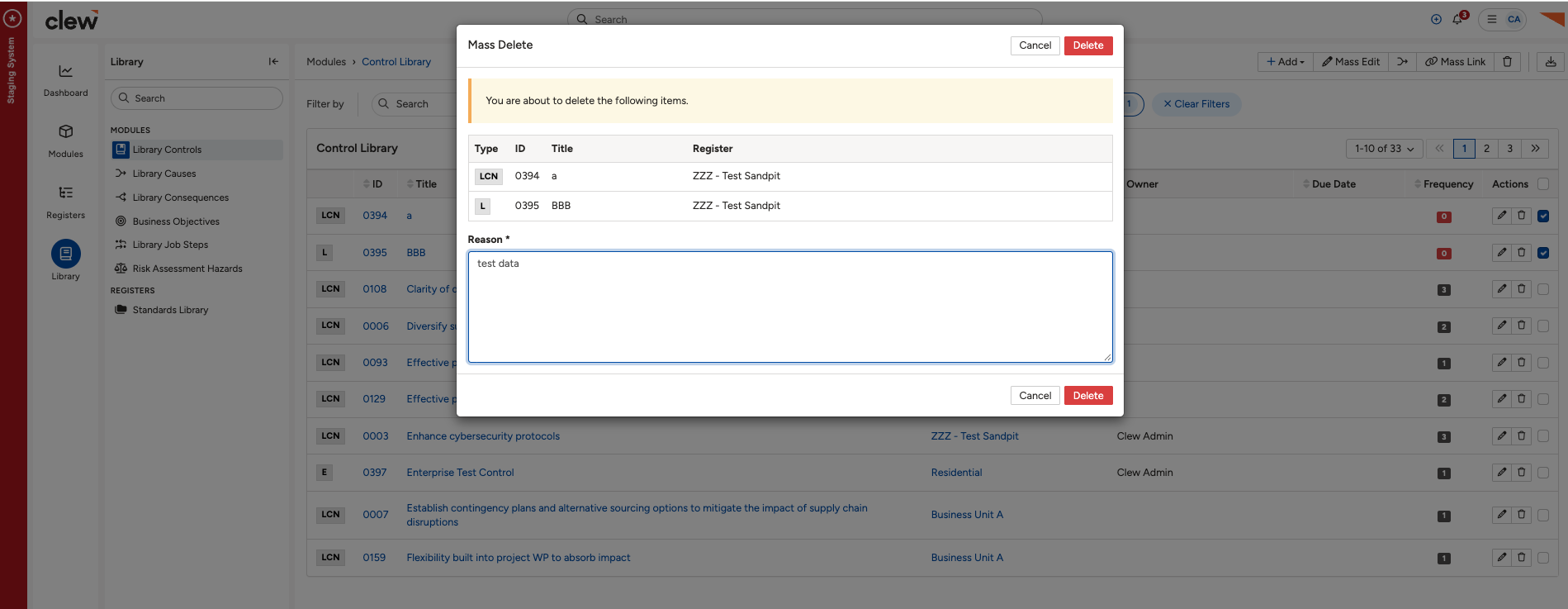
The Mass Delete confirmation window, with the list of items and the required Reason field.
Limits on bulk delete
Even with the right permissions, a few things can stop a record from being deleted as part of a mass delete:
- Confidential records. Your permission set gives no access to a confidential record. Only the user who created it can bulk delete it.
- Locked workflow states. The system will not delete a record that is in a locked workflow state.
- Sensitivity. Where sensitivity is turned on, the system will not delete a record with a sensitivity higher than your clearance.
Click a title to preview it here. Use the Open full article button to read the full version in a new tab.
▾Permission Sets Open full article »
Related article
How permission sets control the Mass Edit and Delete permissions that enable mass delete.
▾Mass Functionalities Open full article »
Related article
How to update several records at once with Mass Edit.
Related article
How to link several records at once with Mass Link.
Was this article helpful?
That’s Great!
Thank you for your feedback
Sorry! We couldn't be helpful
Thank you for your feedback
Feedback sent
We appreciate your effort and will try to fix the article