How to use the Add note function to send email alerts when a record reaches a status or gets a note.
You can use the Add note function to define the specific roles or users who should receive an email alert when a record reaches a certain status, or when a note is added. The alert is sent only if the user's notification settings are enabled and they have Read access to the record.
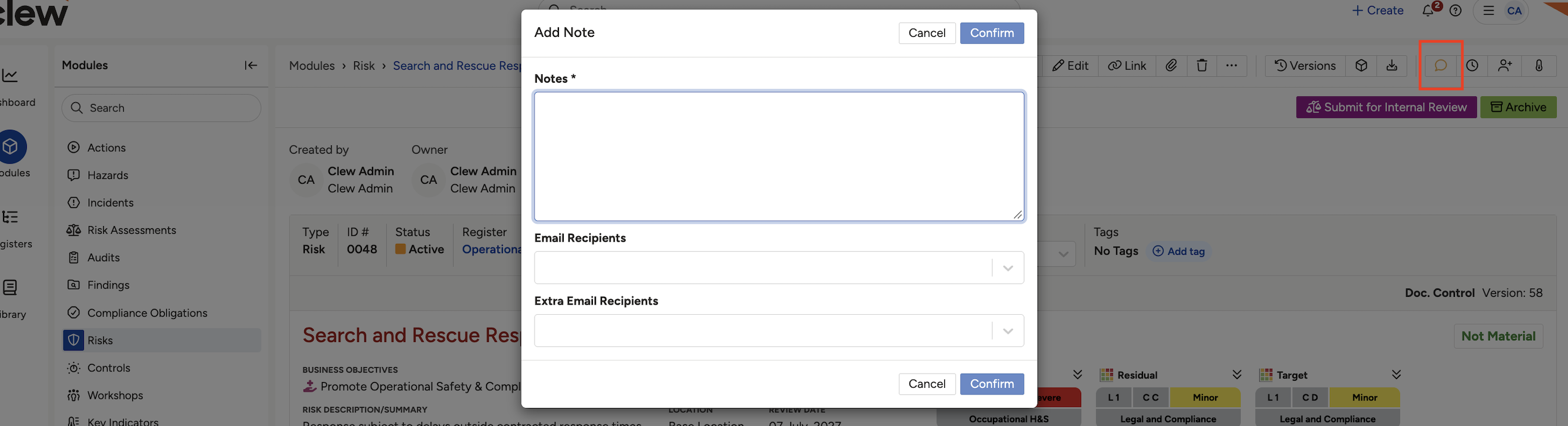
In Add note, choose the roles or users who should receive the email alert.
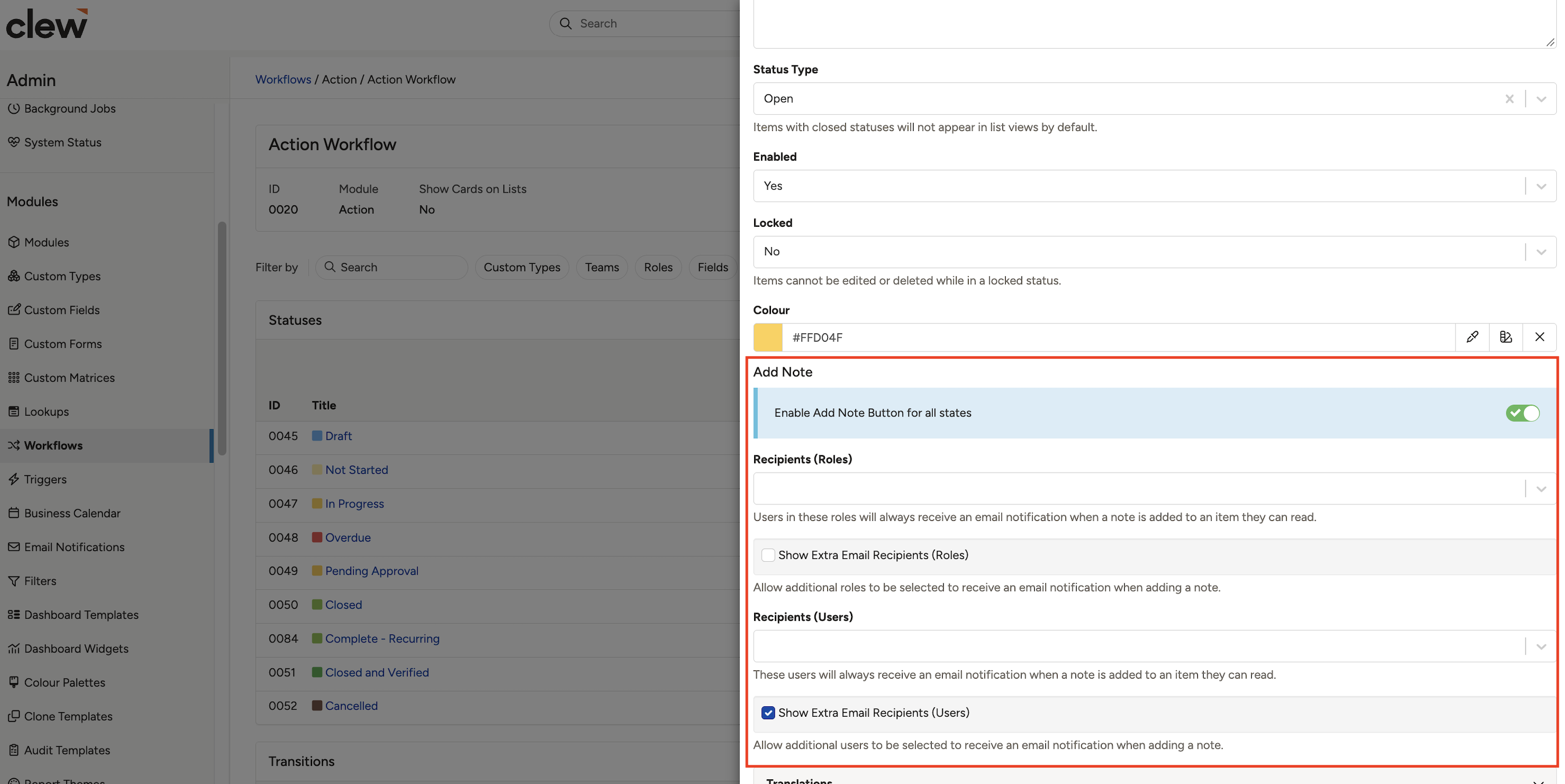
Add note feature enabled via workflow, status settings.
Click a title to preview it here. Use the Open full article button to read the full version in a new tab.
▾Add Note Function and Email options Open full article »
Related article
The full guide to the Add note function and the email options available when adding a note.
▾Workflow Transitions Open full article »
Related article
A record reaches a status through a transition. See how workflow transitions move records between statuses.
▾Workflows Open full article »
Related article
Statuses are defined within a workflow. Learn how workflows and their statuses are set up.
Was this article helpful?
That’s Great!
Thank you for your feedback
Sorry! We couldn't be helpful
Thank you for your feedback
Feedback sent
We appreciate your effort and will try to fix the article