How do I check the triggers associated with a module?
If you are a system administrator, you can follow the below steps to check the triggers:
- Admin > Triggers, by default this page shows all the active Triggers.
- If you only want to see relevant triggers which belongs to a specific module, (Example: Actions module) then you can click 'All Modules' on the top right corner of triggers page and click 'Action'.
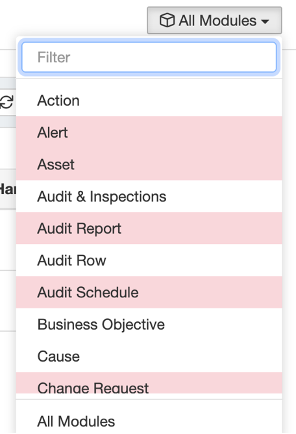
If you’d like to learn more about Triggers, you can read 'Trigger Configuration'.
Was this article helpful?
That’s Great!
Thank you for your feedback
Sorry! We couldn't be helpful
Thank you for your feedback
Feedback sent
We appreciate your effort and will try to fix the article