Can I export data from a specific sub-panel?
How to export sub-panel data, and how to enable export when the option is missing
Yes, you can export sub-panel data. When viewing a sub-panel, you will see the option Export or Export CSV.

The Export option when viewing a sub-panel.
How to enable export on a sub-panel
If the Export option is not visible, a System Administrator can enable it:
- Go to Admin > Custom Type and open it.
- Scroll down to the Settings.
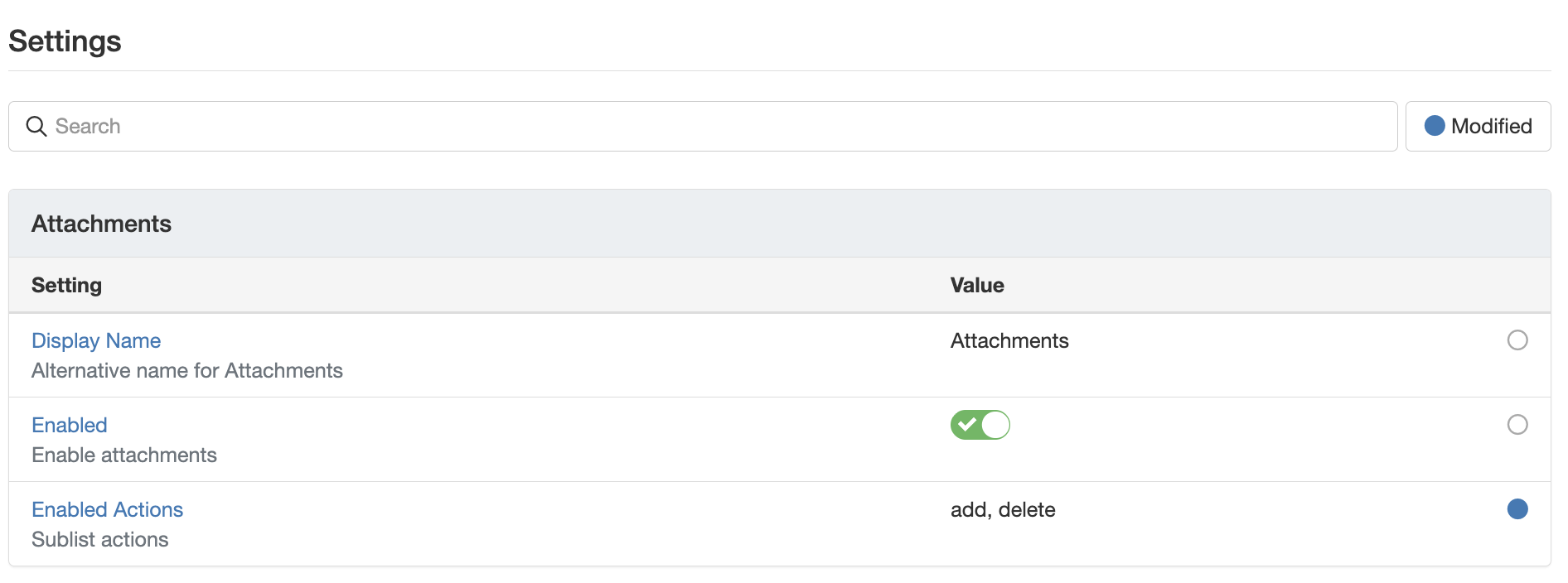
The Settings section of the custom type.
- Search for the sub-panel you want to enable export for.
- Click Enable Actions, add export, and save.
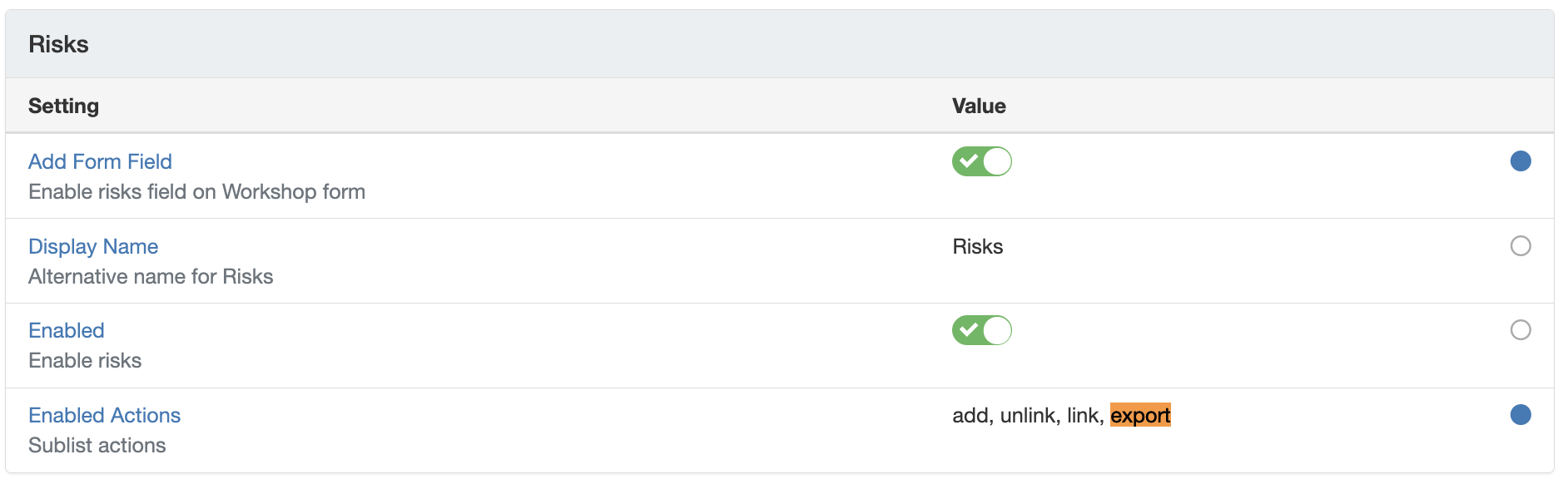
Adding export under Enable Actions for the sub-panel.
Click a title to preview it here. Use the Open full article button to read the full version in a new tab.
▾Custom Types Open full article »
Related article
How custom types are configured, including sub-panel settings and actions.
▾Running, Scheduling & Exporting Reports Open full article »
Related article
Other ways to get data out of Clew, including reports.
Was this article helpful?
That’s Great!
Thank you for your feedback
Sorry! We couldn't be helpful
Thank you for your feedback
Feedback sent
We appreciate your effort and will try to fix the article