TABLE OF CONTENTS
Context
When viewing or exporting dashboards, you might want to exclude specific projects, business units, or registers from your report. This can be easily done using filters within the dashboard.
Important Notes
- Filters can be applied to individual widgets or to the entire dashboard. Any applied filter will affect the dashboard metrics and the exported report view.
- The report will clearly indicate that filters were used (for traceability).
- You can reset the filters anytime to view organisation-wide or all-register data again.
Q: Can I ignore a project for reporting purpose?
Yes. You can exclude or include specific projects (registers) when generating reports by applying filters on the dashboard widgets or across the entire dashboard.
Q: How to apply filters for reporting
Solution
- Open the relevant dashboard (e.g., Incident Dashboard).
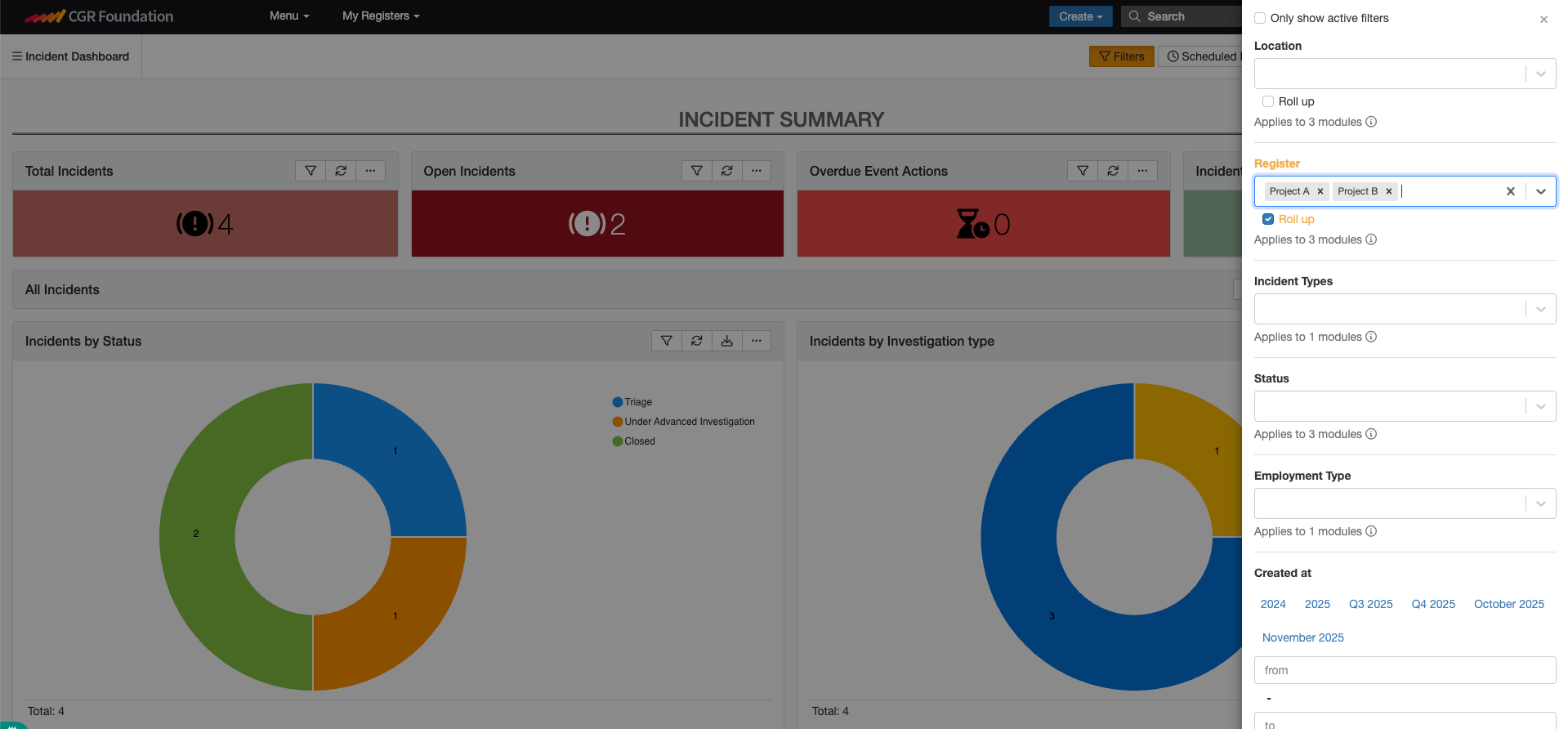
- Click on the Filters button on the top-right corner of the screen
- From the filter panel, select the appropriate Register or Location you wish to include or exclude. You can select one or multiple registers (e.g., Project A, Project B, Operations).
- Once filters are applied, the dashboard widgets (such as Total Incidents, Open Incidents, Overdue Event Actions) will automatically update to reflect only the filtered data.
Q: How to Export Filtered Dashboards
After applying filters, you can download the dashboard as a report.
- The downloaded report will display only the data relevant to the filters you selected.
- By default, the report includes a “Filters” section at the top showing which filters were applied.
For example: Filter: Register (Rolled Up); Value: Project A; Applies to: Impact Assessment, Incident, Action. This ensures full transparency that the report data has been filtered.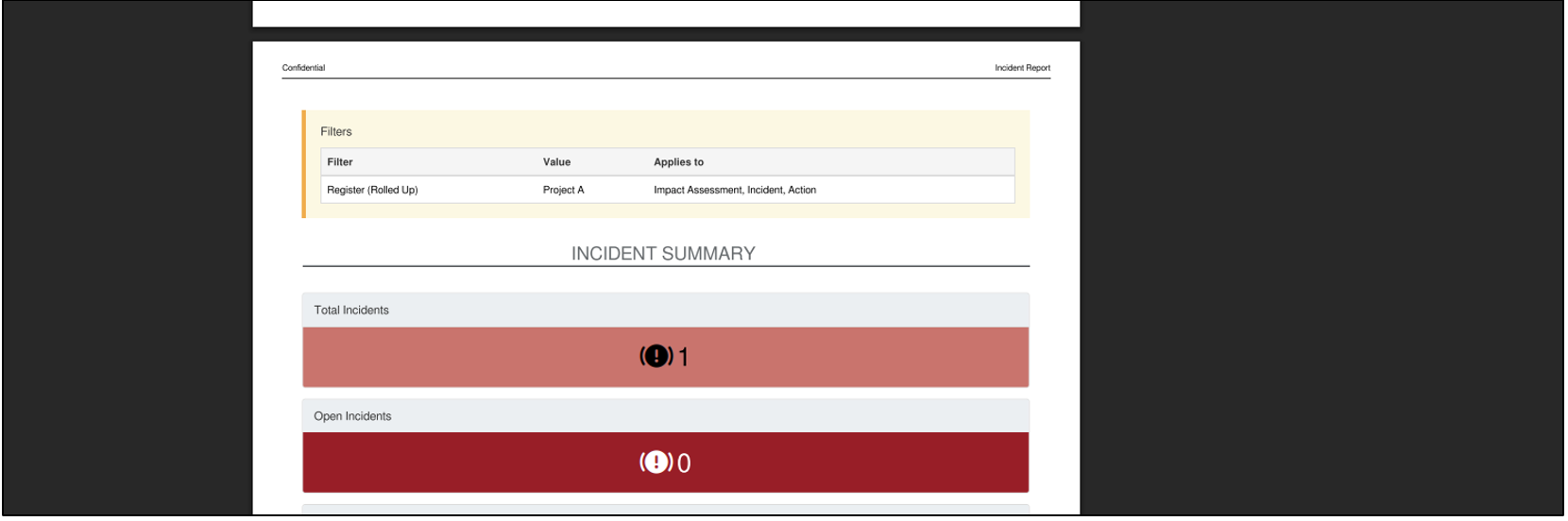
Was this article helpful?
That’s Great!
Thank you for your feedback
Sorry! We couldn't be helpful
Thank you for your feedback
Feedback sent
We appreciate your effort and will try to fix the article