How do I add a workshop review?
Recording a review note against a risk while a risk workshop is running
The short answer
The Risk Workshops module lets you link risks to a workshop and capture the discussion against each one as a Workshop Review note. While the workshop is running, you can add that note either from the workshop's Datagrid view or from the risk record itself.
Before you start
- You need an existing workshop record, or you can create a new one.
- The workshop needs at least one risk in it, either a risk created directly in the workshop or an existing risk you have linked to it.
- You need permission to update the risk you want to add the workshop review note to.
How to add a workshop review
Step 1: Make sure the workshop is running
- Navigate to the risk workshop that contains the risk you want to add the note to.
- Check whether the workshop is running. A running workshop shows an amber bar below the main navigation bar, naming the workshop and its facilitator, with a Stop Workshop button on the right.
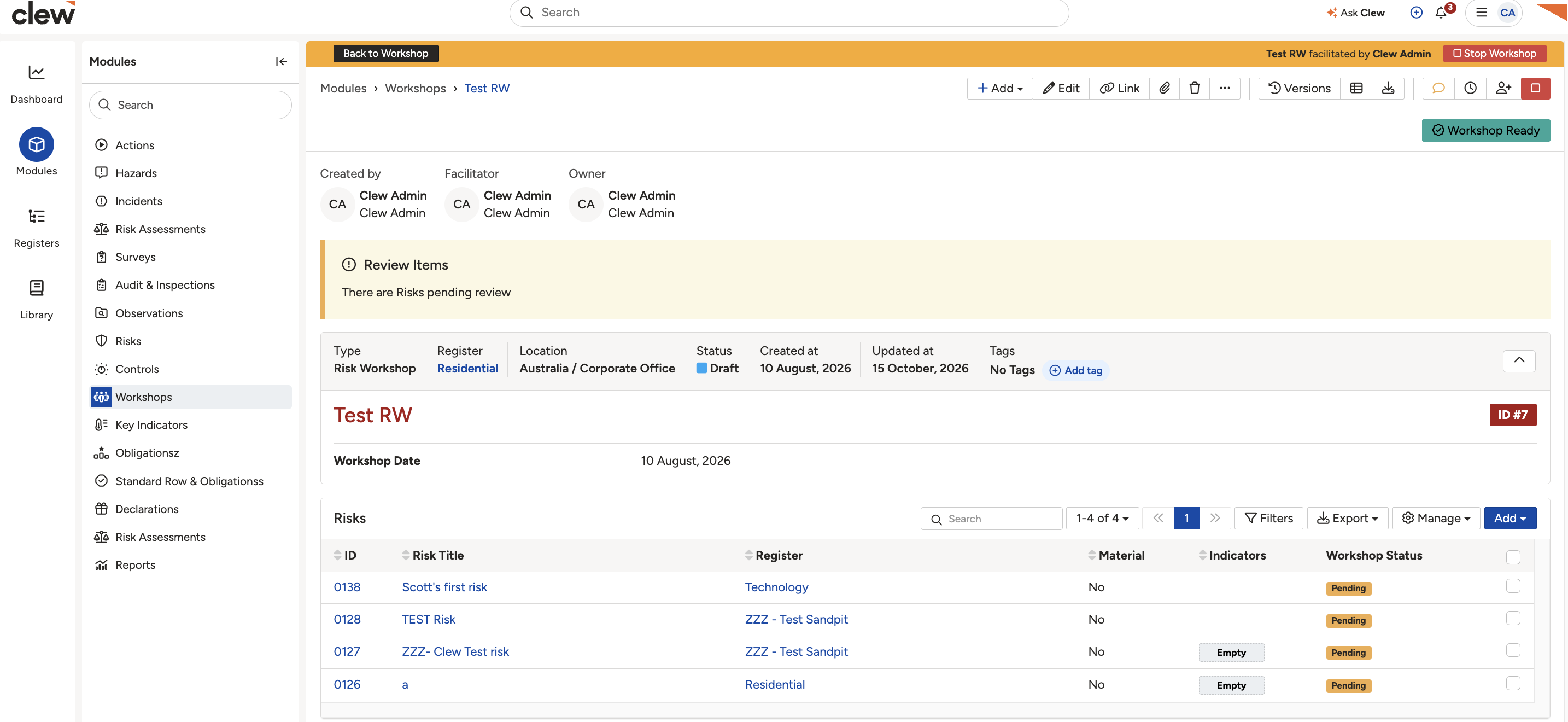
The amber bar that appears when a workshop is running, with the Back to Workshop and Stop Workshop buttons.
- If the amber bar is showing, click Back to Workshop to go straight there. If it is not showing, open the workshop from the Risk Workshops module, then click the green start button in the top right corner to start it.
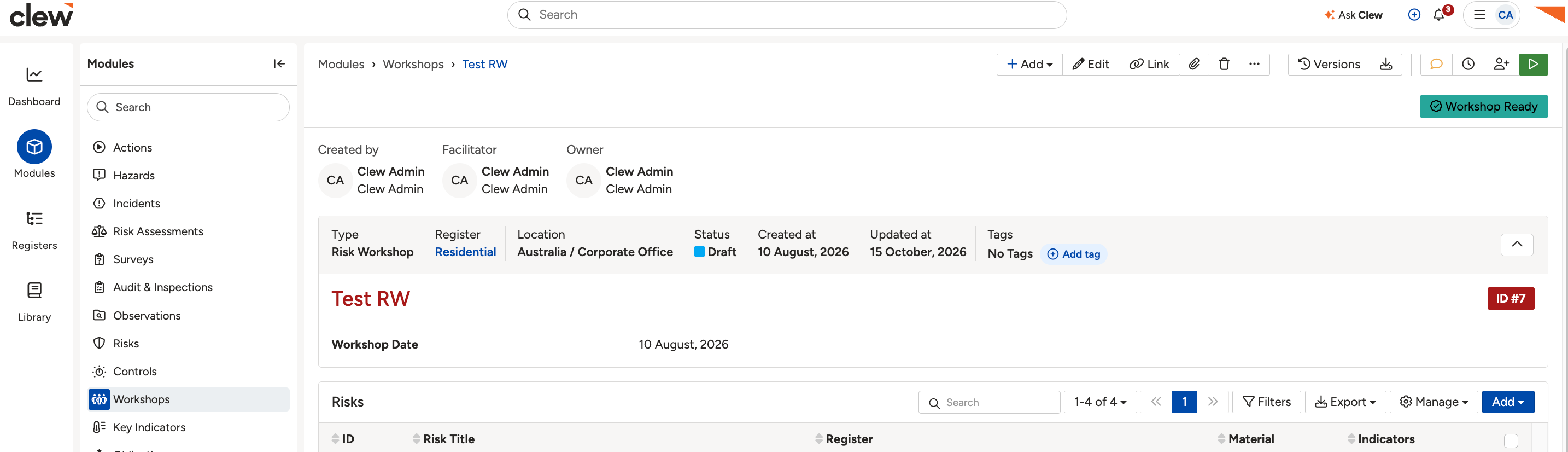
The workshop page before it is started, with the green start button in the top right corner.
Option 1: Add a workshop review from the Datagrid
- With the workshop running, click the Datagrid button in the top right toolbar.
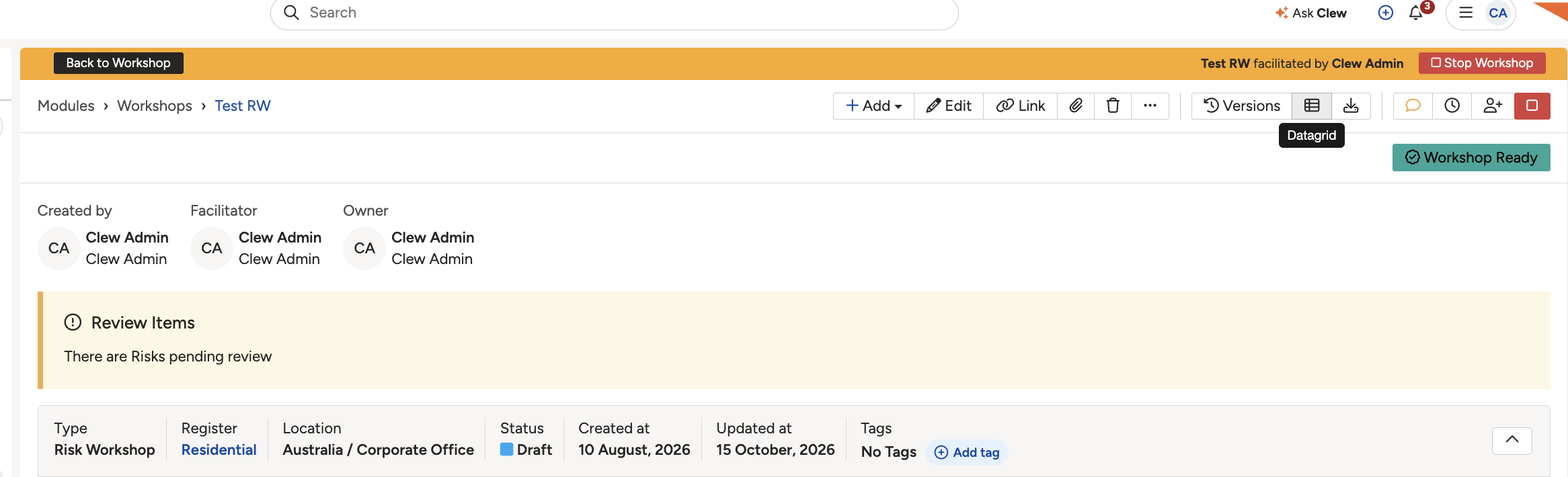
The Datagrid button in the workshop's toolbar, top right.
- On the risk list that opens, expand the risk you want to add the note to using the chevron on the left of its row.
- In the expanded row, fill in the Workshop Review text area. The note saves against that risk straight away.
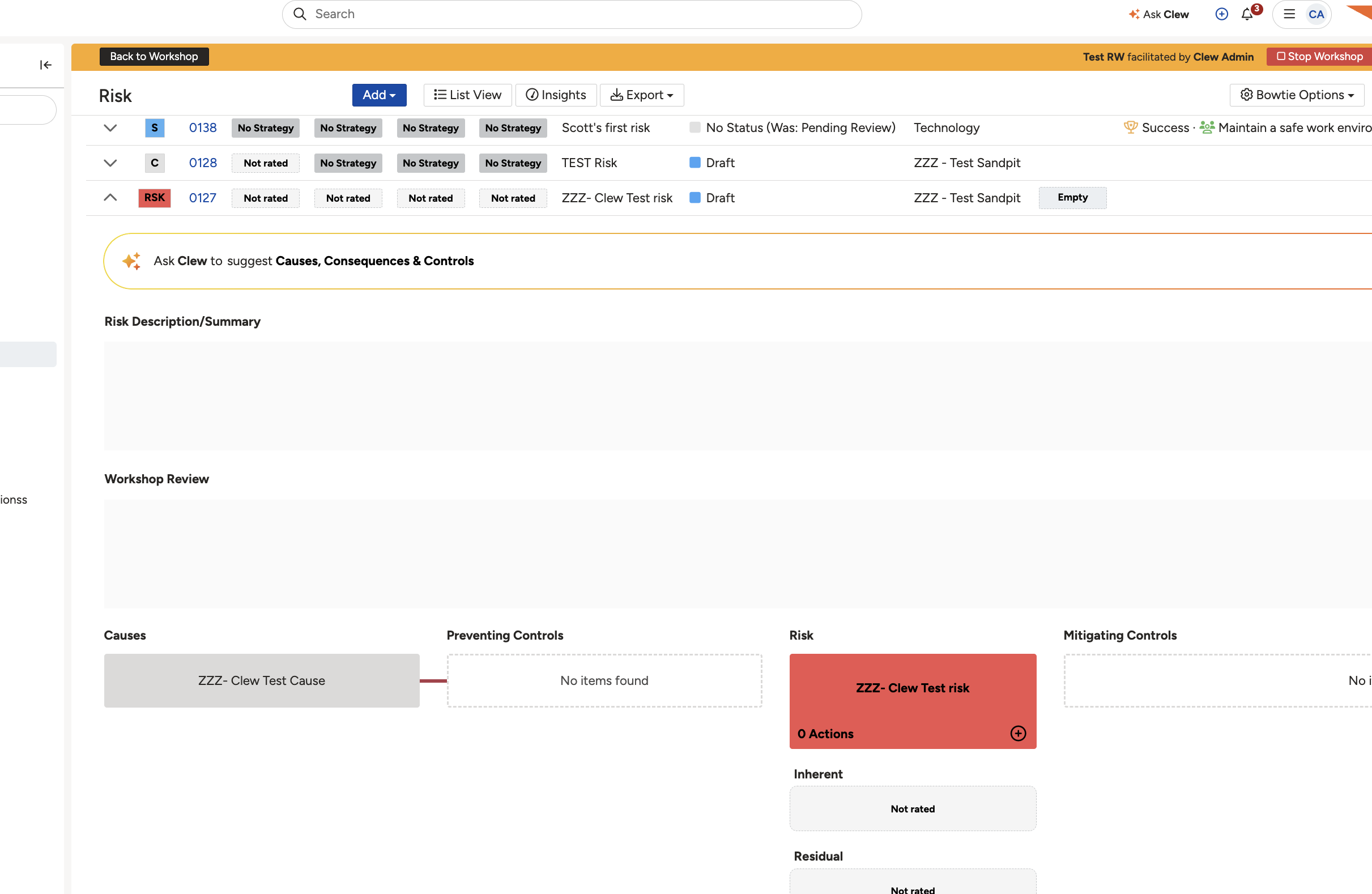
The risk Datagrid opened from the workshop. Expand a risk using the chevron on the left to reveal its Workshop Review field.
Option 2: Add a workshop review from the risk record
- From the workshop screen, click the title of the risk you want to add the note to.
- On the risk record, click the amber Workshop Review button in the top right toolbar.
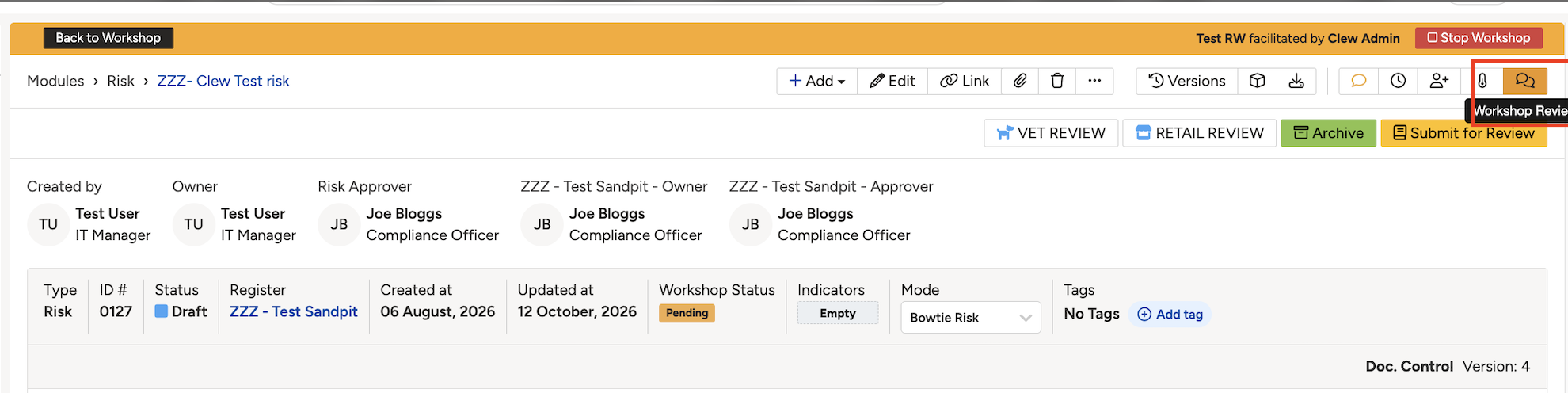
The Workshop Review button on the risk record, in the top right toolbar.
- Enter your note in the pop-up box, then save.
Click a title to preview it here. Use the Open full article button to read the full version in a new tab.
▾Understanding Risk Workshops Open full article »
Related article
What risk workshops are and how they work.
▾What are the different types of workshops? Open full article »
Related article
The different types of workshops available.
Was this article helpful?
That’s Great!
Thank you for your feedback
Sorry! We couldn't be helpful
Thank you for your feedback
Feedback sent
We appreciate your effort and will try to fix the article