Why can't I see the Mass Clone option?
What controls whether the clone option appears on a list view or on a single record, and how to get it back
The short answer
Cloning is driven by a clone template, and each template is set to show in the record detail view, the list view, or both. If the template for that module is not set to show in the list view, there is no Mass Clone option there, even though you can clone records one at a time. It is a configuration choice rather than a fault.
Two other things can hide it: mass functionality has its own permission, and it does not appear in datagrid at all.
Why this happens
Work down this list. The first two are by far the most common.
| Cause | How to tell |
| The clone template is not set to show in the list view | You can clone a single record from its detail view, but nothing appears when you select several in a list. |
| You are in datagrid rather than list view | No mass options appear at all, not just clone. Mass functionality is not available in datagrid. |
| You do not have mass permission for that module | Other mass actions are missing too, and a colleague on the same list view can see them. |
| No clone template exists for the module, or it is not enabled | There is no clone option anywhere in that module, on a single record or a list. |
| Your security group does not allow cloning in that module | You can see the records but not copy them, and the same is true in every view. |
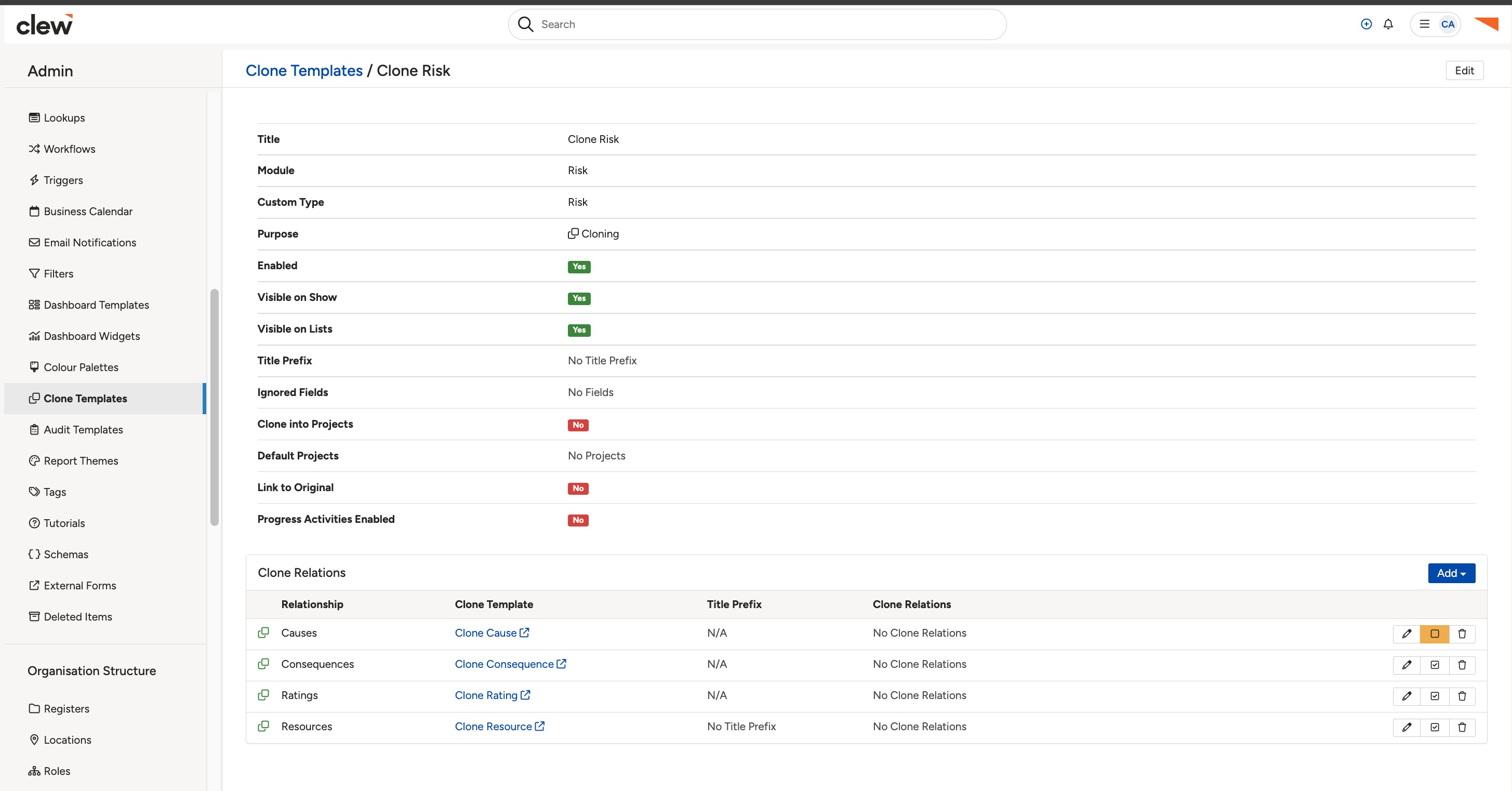
A list view with records selected, showing where the mass options appear.
What to do
- Check you are in list view rather than datagrid. Mass options do not appear in datagrid.
- Select at least one record. Mass options only appear once something is ticked.
- Try cloning a single record from its detail view. If that works and the list view does not, the template is not set to show in the list view. Ask your System Administrator to enable it there.
- If other mass actions such as mass edit are missing too, the issue is mass permission rather than cloning. Ask your administrator to add it to your permission set.
- If there is no clone option anywhere in the module, no clone template has been set up for it. That is one for your administrator to create.
▾Clone a Record Open full article »
Related article
How to clone a single record or several at once, and what the template needs to be set to for each.
▾Clone Templates Open full article »
Related article
For administrators: how to set up a clone template and choose whether it shows in the detail view, the list view, or both.
Was this article helpful?
That’s Great!
Thank you for your feedback
Sorry! We couldn't be helpful
Thank you for your feedback
Feedback sent
We appreciate your effort and will try to fix the article