Can I mass edit attachments?
Which mass actions are available for attachments, and how to mass delete them
The short answer
No. You cannot mass edit attachments. The only mass action available for attachments is Mass Delete, which removes the attachments you have selected from the record in one step. You can still edit attachments one at a time using the edit (pencil) icon on each row.
How to mass delete attachments
- Open the record whose attachments you want to remove, and scroll to the Attachments section.
- Select the attachments to delete. Tick the checkbox on the right of each row, or tick the checkbox in the header row to select all.
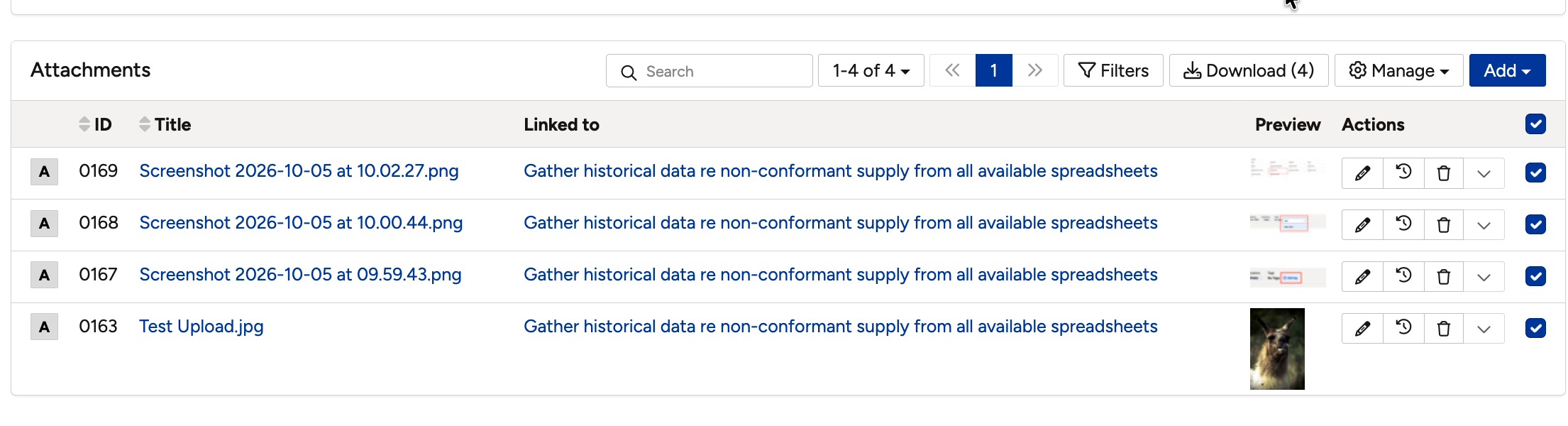
The Attachments section with attachments selected.
- Click the Manage dropdown in the top-right of the Attachments section.
- Click Mass Delete.
- Confirm the deletion if you are prompted.
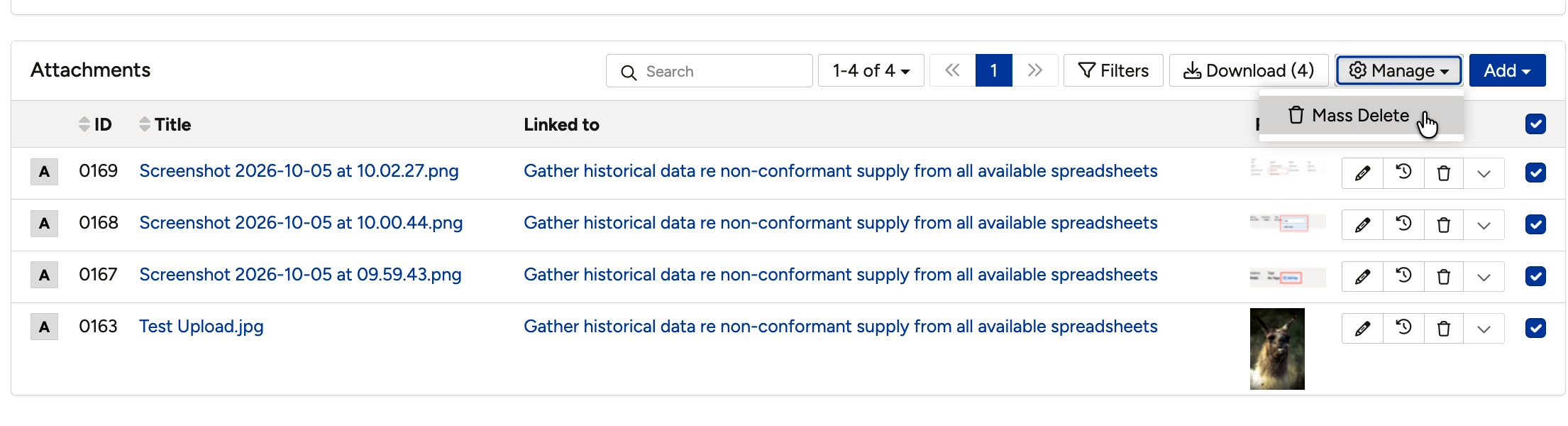
The Mass Delete option in the Manage menu.
Click a title to preview it here. Use the Open full article button to read the full version in a new tab.
▾Mass Functionalities Open full article »
Related article
The mass actions available across Clew, such as mass delete, mass edit, and mass clone.
Was this article helpful?
That’s Great!
Thank you for your feedback
Sorry! We couldn't be helpful
Thank you for your feedback
Feedback sent
We appreciate your effort and will try to fix the article