Only a few of the selected items appear on the clone form, why?
Why some linked items are missing or unticked when you clone a record, and what to do about it
The short answer
The clone form only shows the linked items that the clone template is set up to include, and some of those are switched off by default. It is not a fault: what appears is controlled by the clone template a System Administrator has configured for that module.
Why this happens
When a record is cloned, related items (such as causes, actions, or attachments) are handled by rules called Clone Relations on the clone template. There are two reasons an item you expected may not be there:
- The relation is off by default. Some relations are set to unselected by default. They appear on the form but are not ticked, so they will not be copied unless you select them yourself.
- The relation is not in the template at all. If a type of linked item was never added to the clone template, it will not appear on the clone form and cannot be copied until an administrator adds it.
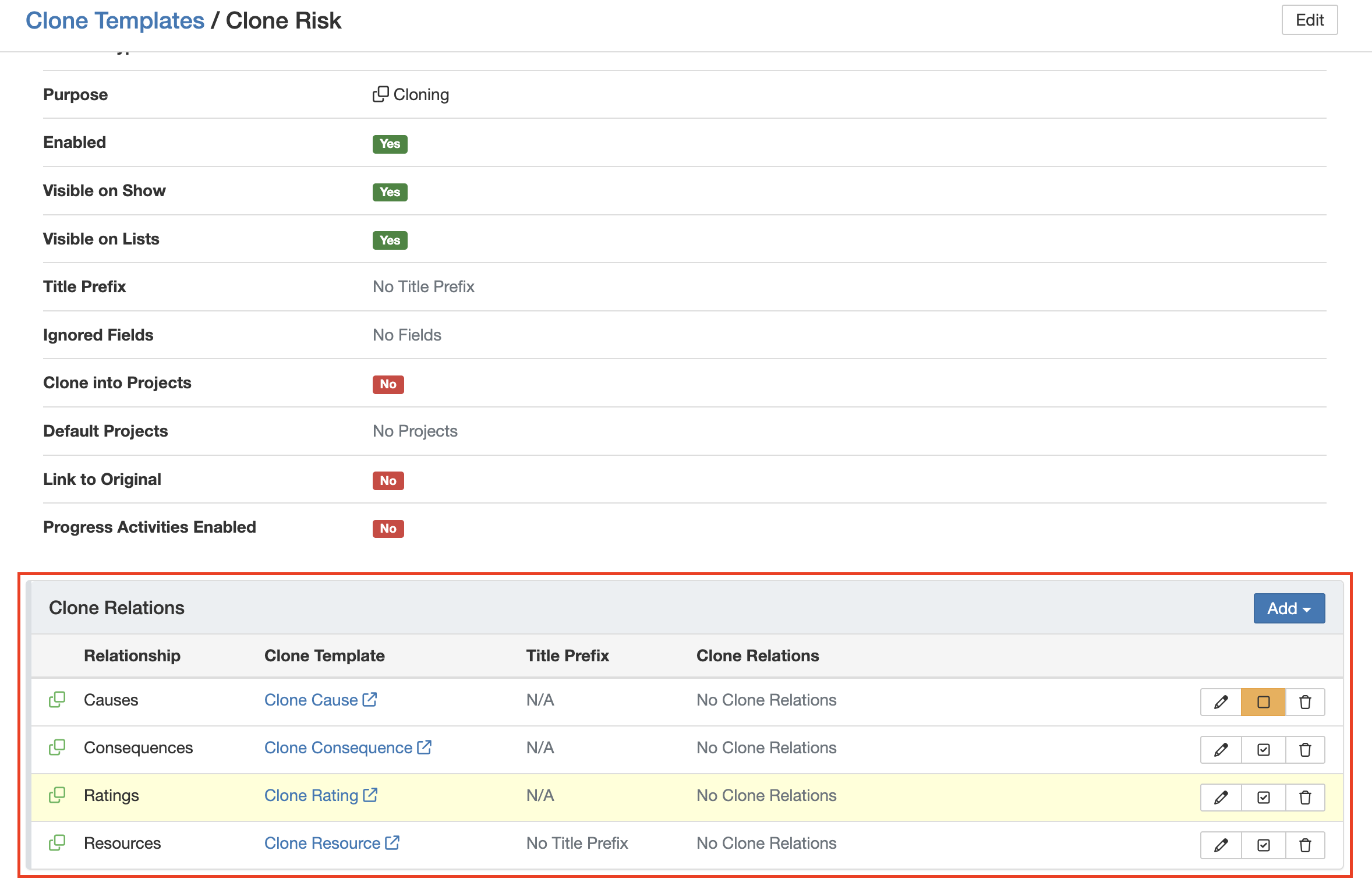
Relations marked with an orange icon are unselected by default and will not be copied unless you tick them.
What to do
- On the clone form, tick any optional relations (orange icon) you want to bring across before you save.
- If an item you expect is not on the form at all, that relation is not part of the template. Ask your System Administrator to add it.
- If the same relation should always be copied, ask your administrator to set it to selected by default so no one has to tick it each time.
Click a title to preview it here. Use the Open full article button to read the full version in a new tab.
▾Clone a Record Open full article »
Related article
How to clone a single record or several at once, and how to choose what comes across on the clone form.
▾Clone Templates Open full article »
Related article
For administrators: how to set up Clone Relations and choose which are selected by default.
Was this article helpful?
That’s Great!
Thank you for your feedback
Sorry! We couldn't be helpful
Thank you for your feedback
Feedback sent
We appreciate your effort and will try to fix the article